
How Digital Receipts Simplify Expense Reporting
Digital receipts are transforming expense reporting by eliminating the inefficiencies of paper-based systems. Here's why they matter:
- Save Time: Expense reporting that used to take 20 minutes per report now happens almost instantly with AI-powered tools.
- Reduce Errors: Digital receipts ensure over 95% accuracy by automating data extraction, avoiding typos, and flagging duplicates.
- Easy Access: Cloud storage keeps receipts secure, searchable, and accessible anytime, eliminating the risk of loss or fading.
- Cost Savings: Businesses save on rework and administrative costs, cutting approval times by 32% and reducing overall expenses.
Tools like EasyTripExpenses simplify the process further by allowing users to upload receipts via mobile, email, or desktop, automatically categorize expenses, and generate professional reports in formats like PDF or Excel. With features like currency conversion and secure cloud storage, digital receipts are a smarter way to manage expenses.
Switching to digital receipts isn’t just convenient - it’s a better way to save time, reduce errors, and stay organized.
Expense Tracker Automation in 5 MINUTES (Receipts to Google Sheet)
How Digital Receipts Work
Switching from paper to digital receipts doesn’t mean you need to completely change how you work. The process is simple: capture the receipt, upload it to your platform, and let automation handle the rest. These steps help cut down on errors and save time with expense reporting. Modern expense management tools make this even easier.
Capturing and Uploading Receipts
Getting receipts into a digital system is often as easy as snapping a photo on your smartphone. Many apps use AI and OCR (Optical Character Recognition) to extract key details like the merchant name, date, and amount automatically. As Naomi L. shares:
I love the fact that I can quickly scan my receipts directly from my phone. That way I never forget to add my expenses.
But photos aren’t the only way to upload receipts. If you receive digital receipts via email - like those from airlines, hotels, or online purchases - you can forward them straight to your expense platform. Some users even set up auto-forwarding to make the process even smoother. You can also upload receipts in various formats, such as PDFs, images, invoices, or Excel files, directly from your computer. Many platforms support drag-and-drop uploads, and some let you text receipt photos to a dedicated number.
For businesses using corporate cards, the process gets even more streamlined. Platforms can integrate with services like Uber, Airbnb, and Amazon Business to import transactions and receipts in real time. EasyTripExpenses, for example, offers multiple upload methods, allowing users to add receipts as images or PDFs while on the go. Everything is securely stored in the cloud, making it easy to access expense data from anywhere. Once uploaded, these systems organize your receipts automatically, saving you even more time.
Categorizing Expenses
After uploading, digital tools take over to sort your receipts. AI-powered categorization organizes expenses into groups like meals, transportation, or lodging. Luis F. explains how seamless this can be:
It's extremely simple - just scan the receipt and the AI captures all necessary details, making the final submission almost effortless.
If the automated categorization isn’t perfect, you can make quick manual adjustments in seconds. EasyTripExpenses also allows you to create custom categories that match your company’s expense policies, add detailed notes to individual expenses, and even convert currencies automatically - all within a single, user-friendly platform.
Benefits of Digital Receipts for Expense Reporting
Switching to digital receipts changes the game when it comes to managing expense reports. Moving away from paper receipts brings improvements in accuracy, speed, and overall organization.
Better Accuracy and Fewer Errors
Manually entering merchant names, dates, and amounts from crumpled paper receipts is a recipe for typos and mistakes. Digital receipts solve this issue by using OCR (Optical Character Recognition) and AI to automatically extract the necessary details, cutting out human error entirely.
Here's a startling fact: nearly half of all paper receipts are lost or thrown away before they’re logged. When receipts disappear, you're left guessing amounts or missing out on deductions altogether. And even if you manage to hold onto them, paper receipts fade over time, becoming unreadable just when you need them most - like during an audit.
"Automating the expense reporting process can reduce errors and improve accuracy of documents because the process no longer relies on humans to transcribe or input data." - Chase
Digital systems also act as a safety net for catching mistakes. They flag duplicate entries or incomplete data, ensuring your reports are error-free before submission. By removing the chance for costly slip-ups, digital receipts save both time and money.
Time-Saving Features
Accuracy is just one piece of the puzzle - digital receipts also speed up the entire reporting process. Instead of waiting until the end of the month to sift through piles of paper, you can snap a photo of a receipt and let the system handle the rest. In seconds, it extracts details like the merchant, date, amount, and category. What used to take 20 minutes now happens almost instantly.
Real-time processing means no more scrambling to figure out what a faded receipt was for or digging through your wallet for missing documentation. Expenses can be submitted immediately, whether through your phone, email, or even text. Businesses have reported a 32% reduction in approval times, saving an average of $54,000 annually on administrative costs.
Easy Access and Retrieval
With fewer errors and less manual effort, finding and retrieving your receipts becomes a breeze. Digital receipts are stored securely in the cloud, giving you access from anywhere, at any time. Forget about rummaging through filing cabinets or desk drawers - just search by merchant, date, category, or amount, and the exact receipt pops up in seconds.
While physical receipts can fade or deteriorate over time, digital receipts remain intact, protected by passwords and backups. This level of security far surpasses the reliability of a drawer full of paper. Whether it’s tax season or an audit request, your documentation is neatly organized and ready to go. In fact, the UK government’s Making Tax Digital (MTD) initiative now requires businesses to maintain digital financial records, and the digital receipt market is projected to hit $2.3 billion by 2027.
EasyTripExpenses is a great example of this convenience, storing all your receipts securely in the cloud. Whether you’re at your desk or traveling across the country, your expense data is just a few clicks away, making your workflow smoother than ever.
sbb-itb-386cb5b
Digital Receipts vs. Physical Receipts
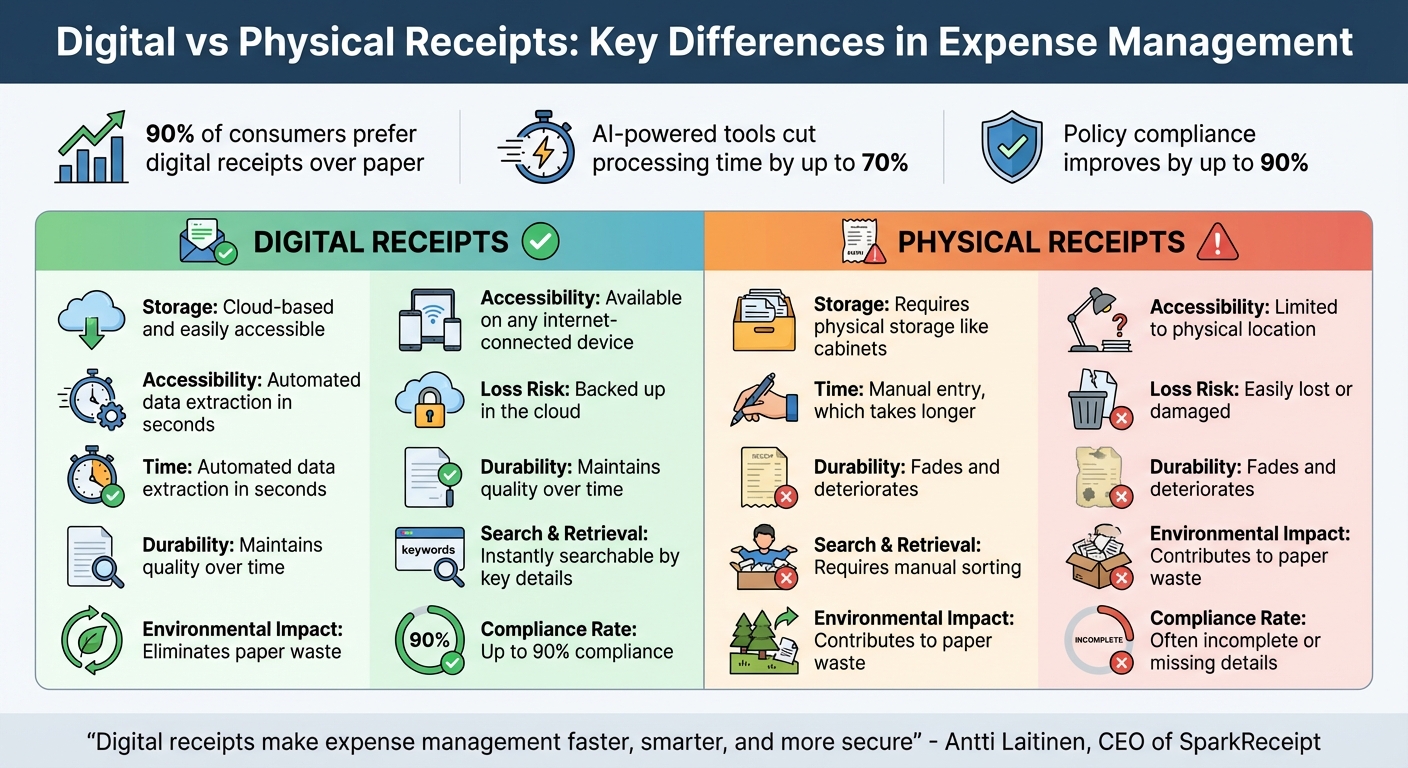
Digital vs Physical Receipts: Key Differences in Expense Management
The move from paper to digital receipts is reshaping how we handle expense documentation. In fact, about 90% of consumers now prefer digital receipts over traditional paper ones. Big names like Apple and Starbucks have already made digital receipts their default option. This growing preference highlights the practical benefits of going digital.
Unlike their paper counterparts, digital receipts offer clear advantages: they remain legible over time and provide secure, hassle-free storage. Paper receipts, on the other hand, are prone to fading, damage, or simply getting lost. As Antti Laitinen, CEO of SparkReceipt, aptly says:
"Digital receipts make expense management faster, smarter, and more secure".
A March 2023 study by SAP Concur further supports this shift, revealing that AI-powered tools can cut processing time by up to 70% while improving policy compliance by as much as 90%. Additionally, the IRS accepts digital receipts, provided they are clear and detailed. The table below breaks down the key differences between digital and physical receipts.
Comparison Table: Digital vs. Physical Receipts
| Aspect | Digital Receipts | Physical Receipts |
|---|---|---|
| Storage | Cloud-based and easily accessible | Requires physical storage like cabinets |
| Accessibility | Available on any internet-connected device | Limited to physical location |
| Time | Automated data extraction in seconds | Manual entry, which takes longer |
| Loss Risk | Backed up in the cloud | Easily lost or damaged |
| Durability | Maintains quality over time | Fades and deteriorates |
| Search & Retrieval | Instantly searchable by key details | Requires manual sorting |
| Environmental Impact | Eliminates paper waste | Contributes to paper waste |
| Compliance Rate | Up to 90% compliance | Often incomplete or missing details |
Creating and Submitting Expense Reports with EasyTripExpenses
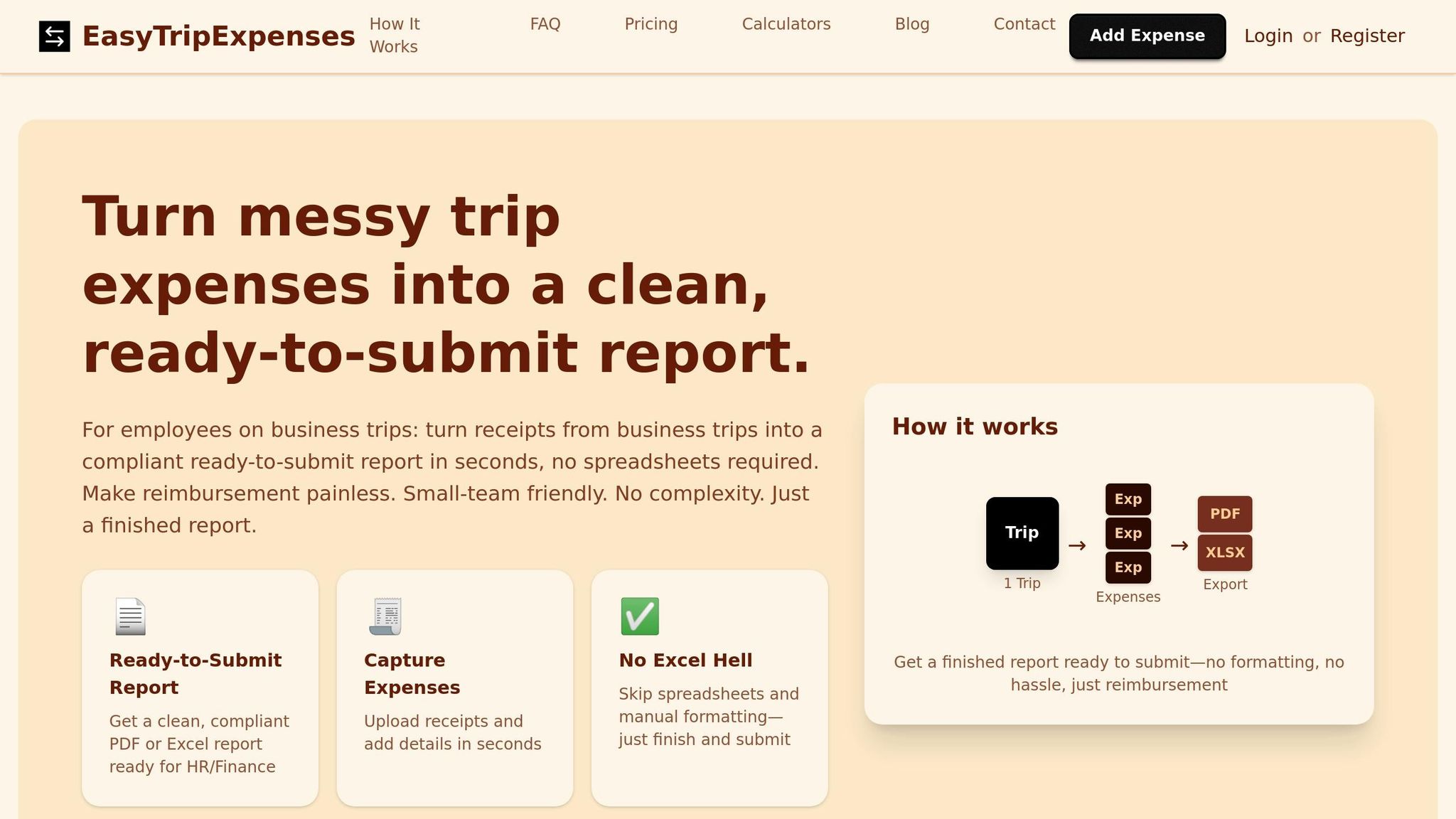
Transform your digital receipts into polished expense reports with ease. EasyTripExpenses takes care of the entire process - from uploading to exporting - without the need for complicated setup.
Step-by-Step Guide to Report Creation
EasyTripExpenses simplifies the process of creating expense reports by building on its receipt capture and categorization features. To get started, simply upload your receipts using the drag-and-drop function. Whether your receipts are images, PDFs, email confirmations, or scanned documents, the platform supports all common file formats. You can upload files directly from your computer or cloud storage.
Once uploaded, categorize each expense by assigning it to a specific category, like meals or transportation. You can also add short comments to explain the purpose of each expense. This step ensures compliance and provides clarity for approvers. For international expenses, the platform’s currency conversion tool automatically adjusts amounts to your preferred currency (e.g., USD).
Finally, generate your report in either PDF for a polished, professional look or Excel for more customization. Both formats include your receipt images, categorized details, and any added comments. Your trip history is securely stored for one to five years, depending on your plan, making it easy to access past reports during audits.
Submitting and Tracking Reports
Once your report is ready, move seamlessly to submission and tracking. You can download and submit the report according to your company’s preferred method, whether it’s via email, an internal portal, or a printed copy. All completed reports are stored in one centralized location, so you can quickly access them whenever needed.
EasyTripExpenses keeps your trip history neatly organized by date and destination, helping you track which reports are submitted and which are still pending. With everything stored securely and digitally, there’s no need for physical filing cabinets. Preparing for audits becomes much easier, as all your documentation is just a few clicks away.
Conclusion
Digital receipts are transforming the way businesses handle expense reporting by cutting out tedious manual processes. With fewer errors and no need for manual data entry, companies can save both time and money while improving overall efficiency.
This shift from paper to digital isn’t just a matter of convenience - it’s about creating a system that's more secure, dependable, and streamlined. Cloud-based storage ensures records are safe from loss or damage, while instant access to well-organized data makes audits and tax preparation far less stressful. Businesses embracing these tools today are setting themselves up for smoother operations down the road.
With EasyTripExpenses, the transition to digital is simple. It allows for quick uploads, automatic categorization, and effortless report generation - all backed by secure cloud storage. The result? Fewer mistakes, more time saved, and easier compliance. If you’re still relying on paper receipts or spreadsheets, you’re likely wasting valuable resources. Digital solutions take the hassle out of expense management, so you can focus on what really matters - growing your business.
Ready to make the switch? Try the free Starter plan and take the first step toward stress-free expense reporting. You'll be glad you did when tax season rolls around!
FAQs
How do digital receipts make expense reporting more accurate?
Digital receipts improve expense reporting accuracy by automating essential tasks. Instead of relying on manual data entry - which often leads to mistakes - these systems handle the details for you. They can even cross-check receipt information, ensuring amounts, dates, and categories are logged correctly.
This automation not only saves time but also helps create reliable, error-free expense records, cutting down on inconsistencies and making the entire process smoother.
How does cloud storage make managing digital receipts easier?
Cloud storage makes handling digital receipts a breeze by offering automatic backups, which significantly lower the chances of losing important data. With receipts stored securely and accessible from virtually anywhere, thanks to geographic redundancy, you’re covered even if your device gets lost or damaged. This convenience allows you to quickly retrieve and organize receipts for expense reports without the usual hassle.
How does EasyTripExpenses manage currency conversion for international expenses?
EasyTripExpenses takes the stress out of managing international expenses by automatically converting foreign transactions into your chosen currency. With real-time exchange rates, you can trust that every conversion is accurate and current.
This tool lets you generate detailed expense reports effortlessly, eliminating the need for manual calculations and simplifying the process of handling expenses during global business trips.