
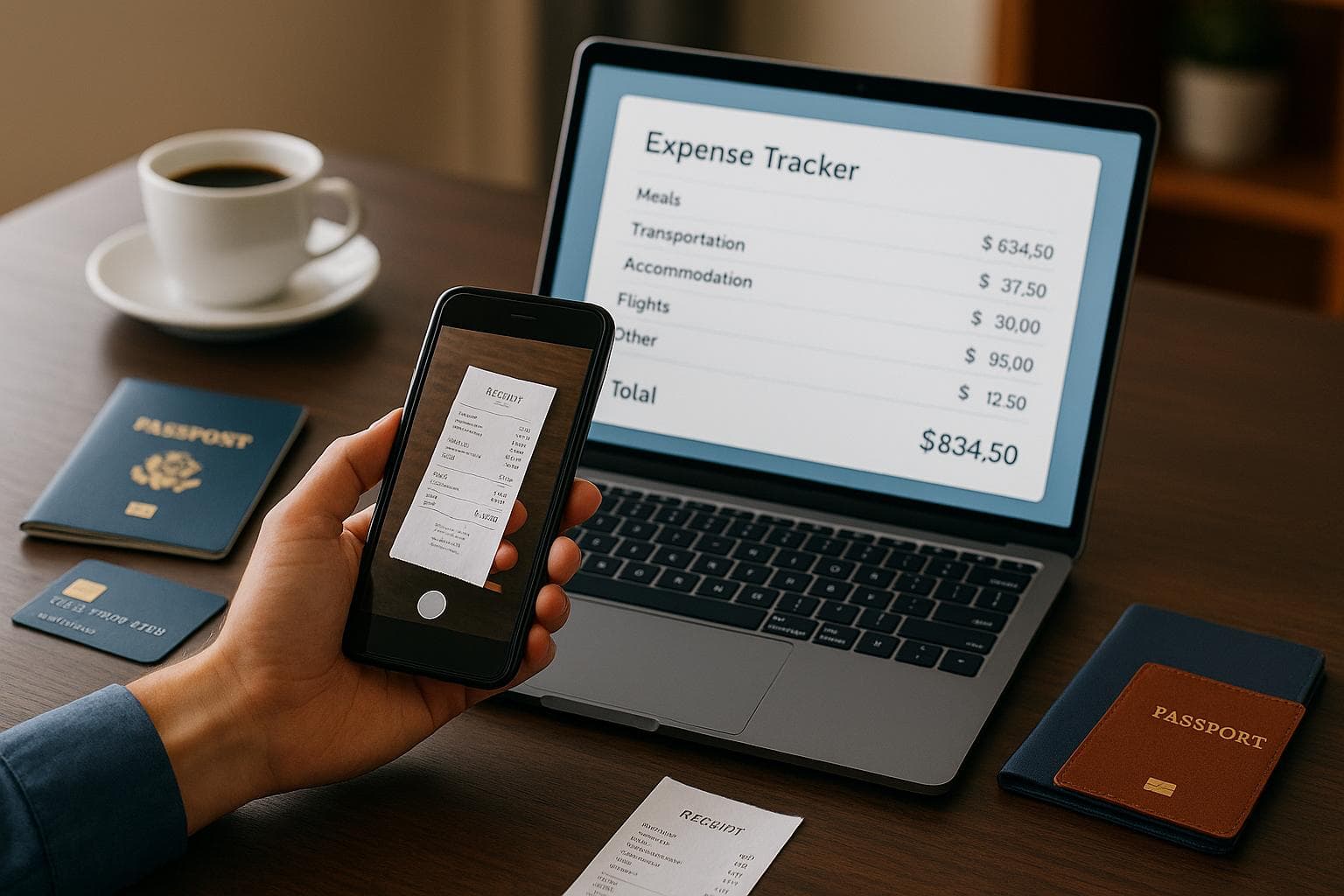
5 Ways to Track Business Trip Expenses
Managing business trip expenses can be overwhelming, but the right tools and strategies can simplify the process. Here's a quick summary of five effective methods to track and manage your expenses while traveling for work:
- Mobile Apps: Use apps to snap photos of receipts in real-time, store them securely, and extract details automatically via OCR.
- Automated Categorization: Automatically sort expenses into categories and flag policy violations to ensure compliance.
- Corporate Card Integration: Link corporate cards to sync transactions automatically, reducing manual data entry and errors.
- Location-Based Tracking: Use GPS tools to log mileage and travel routes accurately, saving time on manual records.
- Centralized Platforms: Combine all expense data in one system for easy tracking, reporting, and compliance management.
These methods save time, reduce errors, and ensure compliance, making expense tracking less stressful for employees and finance teams alike. Each tool addresses specific challenges, and combining them can create a streamlined expense management process.
Travel & Expense Management Systems, Explained
1. Mobile Apps for Real-Time Receipt Capture
Say goodbye to the hassle of misplaced receipts. Mobile apps have completely changed how business travelers manage their expense documentation. Instead of waiting until you're back at the office to sift through a mountain of paper, you can snap a quick photo of your receipt the moment you get it - whether you're grabbing dinner in Chicago, checking into a hotel in Dallas, or hopping into a cab in New York City.
This real-time approach ensures every expense is accounted for. Imagine snapping a receipt during an early breakfast meeting at the airport - it's instantly logged, eliminating the risk of losing track of it later. By capturing receipts on the spot, you avoid the headaches of faded ink, lost slips, or forgotten purchases that often come with traditional methods.
Modern apps store these receipt images securely in the cloud, making them accessible anytime, anywhere. Even if your phone dies or your wallet goes missing, your expense records are safe and sound. This digital archive can be a lifesaver during audits or when finance teams need to verify charges months down the road. Plus, this instant capture lays the groundwork for automating the rest of your expense tracking process.
Automation Level
Mobile receipt capture strikes a balance between manual effort and automation. Sure, you still need to take out your phone and snap a photo, but from there, the app takes over. Using optical character recognition (OCR) technology, the app automatically pulls key details from the receipt - like the merchant name, date, total amount, and payment method.
This means you save a ton of time compared to manually entering all that information. All you need to do is double-check the extracted details for accuracy and add any relevant notes, such as the purpose of the expense or the names of attendees.
Adding context is quick and essential. For instance, a receipt might show you spent $85.00 at a steakhouse, but it won't explain that it was for a client dinner to discuss your Q2 marketing strategy. Jotting down these details takes just seconds while the event is fresh in your mind, sparing you the trouble of trying to recall specifics when filing your report weeks later. This streamlined process makes expense reporting smoother and more accurate for all your travel scenarios.
Ease of Use During Travel
Business travel often comes with unpredictable schedules. You might find yourself rushing between meetings, navigating unfamiliar streets, or dealing with delayed flights. Mobile apps are built to adapt to this chaos, offering convenience anytime, anywhere.
Top-notch mobile expense tools even work offline, so you can capture receipts without a Wi-Fi or mobile data connection. Once you're back online, the app syncs everything automatically.
These apps are designed for speed. Logging a receipt and adding a quick note takes less than 30 seconds. You can handle it while waiting for your Uber, standing in line for coffee, or sitting at the airport gate. It’s a seamless process that integrates naturally into your travel routine, rather than requiring you to carve out extra time.
If you're traveling internationally, these apps also handle currency conversion for you, using current exchange rates. No need for manual calculations. These features not only simplify tracking but also help ensure your expenses remain compliant.
Compliance Support
For finance teams, compliance and audit readiness are top priorities. Mobile apps address these concerns by embedding compliance checks into the receipt capture process. For instance, if you photograph a $200.00 dinner receipt, the app can flag it instantly if your company’s meal policy limits individual dinners to $75.00.
These real-time alerts let you resolve issues on the spot. Maybe you’ll need to split the expense into different categories, justify why it exceeded the limit, or get manager approval before submitting it.
Digital audit trails, which include time and location metadata, make it easy to verify expenses and eliminate doubts about their authenticity. Plus, the system prevents common compliance errors. Duplicate submissions? Not a problem - the app recognizes and blocks them. Missing fields? You’ll get a prompt before you can mark the expense as complete. And because receipt images are stored digitally, they stay clear and legible - unlike those thermal paper receipts that fade to nothing in a few months.
Take platforms like EasyTripExpenses, for example. With these tools, you can upload receipt images directly from your phone, categorize expenses with a few taps, and have everything neatly organized for report generation. Your trip history is securely saved, so whether you need to reference past expenses or pull reports for taxes, it’s all there - no digging through file cabinets or email archives required.
2. Automated Expense Categorization and Policy Compliance
Once receipts are captured, the next hurdle is sorting them into the correct categories and ensuring they align with company policies. Manually handling this process not only eats up time but also increases the likelihood of mistakes. Automated categorization steps in to solve this by using intelligent technology to quickly identify expense types and apply your organization's rules.
When you upload a receipt, the system analyzes details like the merchant name and transaction amount to assign it to the proper category. For instance, a hotel charge is tagged as lodging, a gas station purchase as transportation, and a restaurant bill as meals and entertainment. This process happens almost instantly, eliminating the need to remember or guess which category an expense belongs to.
The benefits become even clearer when automated categorization is paired with real-time policy enforcement. Instead of receiving delayed notifications, you get immediate feedback. If an expense exceeds your company’s set limits, the system flags it right away. This allows you to add a justification, adjust the entry, or request an exception before the report even reaches approval. This streamlined process ensures your expense reports stay accurate and compliant.
Automation Level
Automated categorization makes tracking expenses far easier compared to traditional, manual methods. Normally, you’d have to recall or look up the right category for each expense - something that’s especially frustrating during a hectic business trip. Modern systems use advanced algorithms that adapt to your habits over time. The more you use them, the better they get at categorizing similar transactions automatically.
That said, you’re still in control. If the system misclassifies an expense, you can correct it with ease.
Compliance Support
Automated categorization is especially helpful for ensuring policy compliance. Many policy violations happen simply because employees aren’t aware of specific rules. Real-time checks catch these issues as they occur, preventing them from turning into bigger problems.
For example, the system can enforce category-specific policies, such as prompting you to confirm that a particular expense meets company guidelines if restrictions apply. It also helps avoid common mistakes like duplicate submissions. If you upload the same receipt twice, the system identifies the duplicate using key details and alerts you.
Additionally, automatic audit trails record every action with timestamps, providing transparency for reviews or audits. If an expense lacks a required receipt, the system prevents it from being marked as complete, ensuring all reports are fully documented for audits or tax filings.
3. Corporate Card Integration and Transaction Syncing
Corporate cards make managing travel expenses much simpler. By linking your corporate card to your expense tracking system, transactions sync automatically. This eliminates the need for manual entry, reduces errors, and speeds up the reimbursement process - saving time for everyone involved.
This automatic syncing isn’t just convenient; it’s a game-changer for both employees and finance teams. Travelers no longer have to worry about tedious data entry, while finance teams benefit from smoother reconciliation. Plus, with real-time expense recording, reports can be reviewed and approved quickly, ensuring everything stays accurate and up to date. This integration ensures your expense tracking remains hassle-free throughout your trip.
sbb-itb-386cb5b
4. Location-Based Tracking for Mileage and Route Verification
When you're traveling for work, keeping track of mileage accurately is essential for expense reporting. Location-based tracking tools use GPS technology to automatically log your travel routes, removing the hassle of manual odometer readings or handwritten records.
Automation and Mileage Calculation
These tools kick in automatically, detecting when a trip starts and ends. Once the trip is over, they calculate the distance traveled and apply the current mileage rate. This process not only saves time but also reduces the chances of errors compared to manual tracking. It's designed to work effortlessly, even while you're on the go.
Ease of Use
Most tracking apps come with simple, user-friendly interfaces. You can quickly review your trips right from your smartphone, making the expense reporting process much smoother, even during busy travel schedules.
Compliance and Verification
The automatic location tracking creates a reliable record of your trip details, including times and locations. This digital audit trail is invaluable for meeting internal policies and external requirements, especially during audits. Plus, it integrates seamlessly with expense reports, simplifying the reimbursement process.
5. Centralized Expense Management Platforms
A centralized expense management platform brings all travel-related expenses into one secure system, making tracking, reporting, and reimbursement much easier. Instead of juggling receipts, spreadsheets, and reports, everything is stored in one place for quick access.
These platforms combine data from multiple sources - like mobile receipt uploads, corporate card transactions, and mileage tracking - into a single, streamlined system. With this setup, you can create professional reports tailored to your company's needs while keeping all records neatly organized and easy to retrieve.
Streamlined Processes
One of the biggest perks of centralized platforms is automation. Once receipts are uploaded, the platform takes over. It categorizes expenses, calculates totals, handles currency conversions, and even prepares summary reports. Need a PDF or Excel file? These platforms can generate them in seconds, saving you precious time after your trip.
Integration and Secure Storage
Centralized systems ensure that every detail is securely stored and always accessible. For instance, platforms like EasyTripExpenses store all your trip records and receipts in one place. This means no more digging through old emails or folders to find a missing receipt. Everything you need is right there, ready whenever you need it.
On-the-Go Usability
With mobile-friendly features, these platforms let you log expenses as they happen. Snap a quick photo of a receipt or enter details right from your phone. Automatic currency conversion ensures international expenses are accurately recorded in U.S. dollars, creating consistent and precise reports. This real-time functionality integrates seamlessly with other expense management tools, keeping everything in sync.
Organized Record Keeping
By centralizing all expense data, these platforms make it easy to maintain organized records for future use. Whether you're reviewing past spending or preparing for an audit, having a digital archive of receipts and reports simplifies the process and gives you peace of mind for long-term expense management.
Comparison Table
Here's a quick breakdown of five popular expense tracking methods, highlighting their strengths for business travelers.
Choosing the right method depends on your needs, travel habits, and company policies. Some methods are simple and user-friendly, while others offer more advanced features for comprehensive expense management. Below is a comparison of these methods across key criteria:
| Method | Automation Level | Integration Capabilities | Ease of Use | Compliance Support |
|---|---|---|---|---|
| Mobile Apps for Real-Time Receipt Capture | Medium – Scans receipts via photos and allows manual uploads | Limited – Mostly stores images and may need manual exports to other systems | Very High – Easy to use with just a smartphone | Basic – Provides digital records with timestamps but minimal policy enforcement |
| Automated Expense Categorization and Policy Compliance | High – Automatically sorts expenses and flags policy issues | Medium – Works within expense platforms and connects to accounting software | Medium – Requires initial setup of rules and categories | Very High – Actively monitors expenses and alerts users in real time |
| Corporate Card Integration and Transaction Syncing | Very High – Automatically imports card transactions | High – Links directly to banking systems, accounting tools, and expense platforms | High – Eliminates manual entry as transactions sync automatically | High – Creates audit-ready records and enforces spending limits by merchant type |
| Location-Based Tracking for Mileage and Route Verification | High – Uses GPS to log routes and calculate distances for reimbursements | Medium – Can integrate with expense platforms but also works independently | High – Runs in the background with minimal effort beyond starting and stopping trips | Medium – Provides GPS-verified records for mileage claims during audits |
| Centralized Expense Management Platforms | Very High – Combines multiple tracking tools into one automated system | Very High – Integrates receipt capture, card syncing, mileage tracking, and accounting software | Medium to High – Offers robust features but may require some learning | Very High – Enforces policies, maintains detailed records, and generates compliant reports automatically |
Automation reflects how much manual effort is reduced, while integration shows how well these methods connect to existing systems. Mobile apps are great for simplicity, while centralized platforms provide advanced features with added complexity. Compliance is a key consideration, especially for audits and regulatory needs.
Often, the best solution is a mix of methods. For example, you could use a mobile app for quick receipt capture during trips, corporate card syncing for automatic transaction imports, and a centralized platform like EasyTripExpenses to bring everything together. Combining tools like these offers the perfect balance of convenience and compliance.
This overview should help you decide on the right combination for managing expenses effectively.
Conclusion
Keeping track of business trip expenses doesn’t have to feel overwhelming. A well-organized system saves time, minimizes errors, and speeds up reimbursements. Imagine replacing the hassle of sorting through piles of receipts weeks later with real-time organization. For instance, companies using automated expense tools with OCR scanning have cut reporting time from over an hour to just under three minutes.
The key is to choose methods that suit your travel habits and your company's requirements. If you travel frequently, mobile receipt capture is a must-have. For managing multiple trips or handling complex expense categories, centralized platforms provide automation and compliance features that help avoid policy violations before they even happen.
Tailor your strategy to tackle specific expense challenges. Drive often? Location-based mileage tracking can simplify your logs. If your company uses corporate cards, syncing transactions eliminates the need for manual data entry. And for organizations with strict compliance rules, automated policy checks can flag potential issues right away.
A systematic approach to expense tracking delivers quick benefits. It reduces administrative work, keeps audit records in order, and eliminates the frustration of lost receipts. Start by identifying your biggest challenges, whether it’s disorganized receipts, tedious manual entry, or compliance headaches. Then, select tools designed to solve those issues directly.
When all these strategies come together, a centralized solution ties everything neatly into place. For example, EasyTripExpenses combines features like receipt uploads, automated categorization, currency conversion, and professional report generation into one platform. Whether you’re a solo traveler or managing a small team, a structured system transforms expense tracking from a chore into an efficient, seamless process.
FAQs
How do mobile apps make it easier to track expenses during business trips?
Mobile apps make tracking expenses a breeze by allowing you to log costs on the spot. No more waiting to jot things down later - just record expenses as they occur. Plus, you can scan and save receipts digitally, eliminating the hassle of misplaced paperwork. Many of these apps also come with automatic expense categorization, keeping everything neatly organized for accurate reporting. For busy professionals, these tools are a real time-saver and can streamline the entire process of managing travel expenses.
What are the advantages of using corporate cards with expense tracking systems, and how does it make managing expenses easier?
Integrating corporate cards with expense tracking systems makes handling business travel expenses much easier. With transactions syncing automatically, there's no need for manual data entry, which means fewer errors and more accurate records.
Corporate cards also enable real-time tracking of spending, providing businesses with clearer insights and better control over their expenses. Tools like adjustable spending limits and automated transaction categorization speed up reporting, saving valuable time for employees and finance teams alike.
How can centralized expense management platforms improve compliance and reporting for business travel expenses?
Centralized expense management platforms make compliance and reporting much easier by automating how expenses are tracked and categorized. This automation not only minimizes errors but also ensures that company policies are followed. With all expense data in one centralized location, monitoring spending and creating accurate reports becomes a much smoother process.
These platforms also offer insights into spending habits, helping businesses spot areas where they can cut costs and manage budgets more effectively. By cutting down on manual work and providing better visibility, they save employees time and promote more transparent and efficient expense management.