
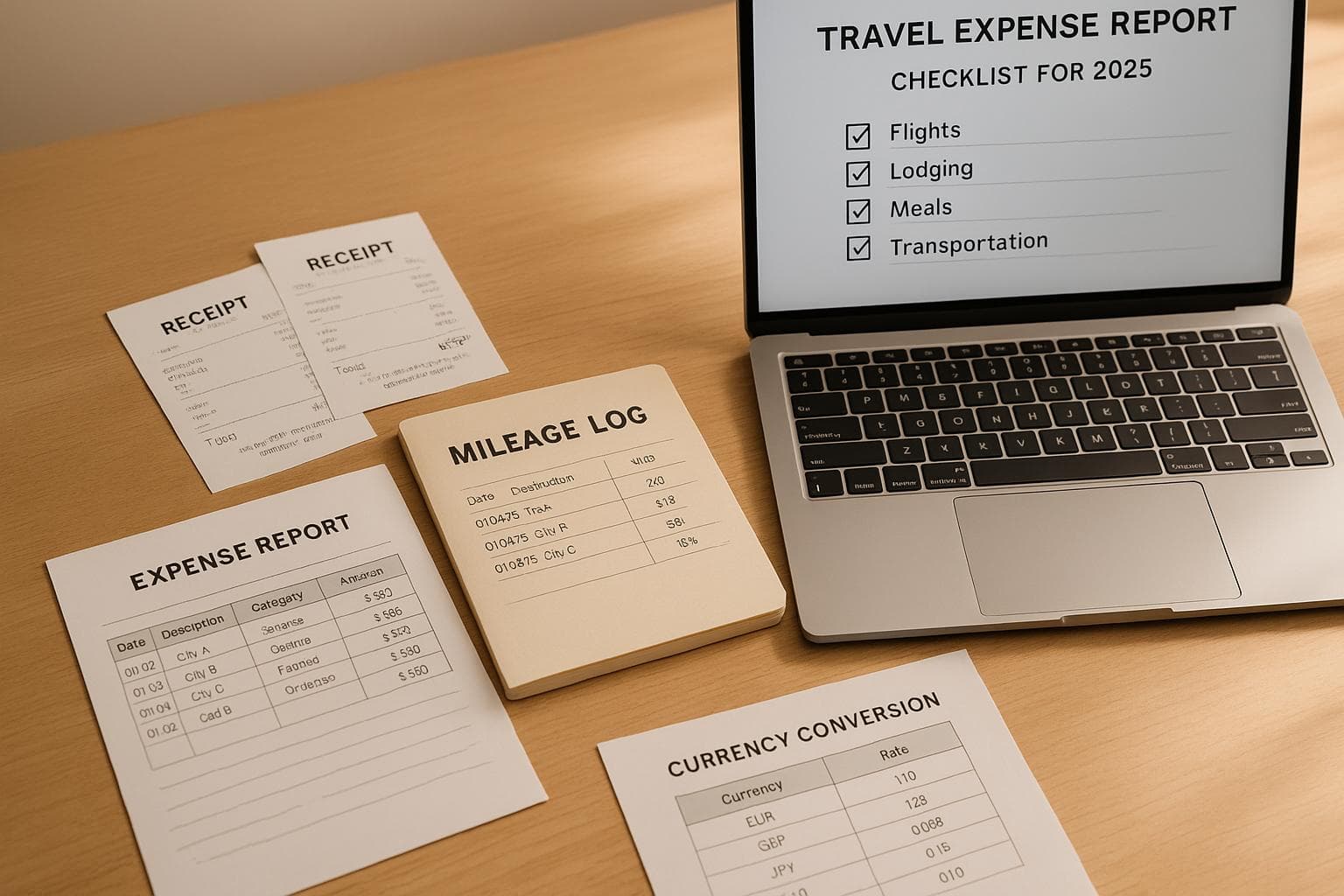
Travel Expense Report Checklist for 2025
Handling travel expenses in 2025 requires a clear, organized approach to avoid delays, errors, and compliance issues. Here's what you need to know to simplify the process:
- Before Your Trip: Review company policies, set up an expense tracking tool, and secure travel approvals with a clear budget.
- During Your Trip: Document every expense in real time. Keep detailed receipts, note the purpose of each transaction, and track mileage or currency conversions for international travel.
- After Your Trip: Submit your expense report promptly, ensuring all receipts are categorized correctly and align with company policies. Double-check for missing approvals or discrepancies.
How to Prepare and Submit Business Travel Expense Report in Excel
Before Your Trip: Preparation Checklist
Getting organized before you leave can save you a lot of hassle later. A little preparation goes a long way in ensuring smooth expense tracking during your trip.
Review Company Policies and Guidelines
Understanding your company's reimbursement policies ahead of time is crucial. It helps you avoid surprises when it's time to submit your expense report and ensures your records meet audit requirements.
Take time to review your organization's reimbursement limits and documentation rules. Check specific guidelines for common expenses like meals, lodging, mileage, and international travel. For example, many companies require original receipts for higher-value expenses - knowing this in advance can help you prioritize which receipts to keep.
If you plan to use your personal vehicle for work-related travel, confirm whether mileage is reimbursable and check the current IRS mileage rate. Your company may have additional rules, so make sure to review those too.
Choose and Set Up Your Expense Tracking Tool
Having your expense tracking system ready before you leave makes life much easier. It keeps your receipts organized and ensures your documentation meets company standards from day one.
Start by setting up a dedicated folder for your trip, labeled with the destination and dates (e.g., "Chicago Conference 03/15–03/18"). Organize your expenses into categories that match your company's accounting system. Common categories include lodging, meals, airfare, ground transportation, parking, and miscellaneous expenses. Use your company's specific terminology if they have unique category names like "Client Entertainment" instead of "Meals."
For pre-paid expenses like hotel bookings, flights, or event registrations, upload those receipts to your system right away. This ensures nothing gets misplaced and gives you a head start on your expense report.
If you're traveling internationally, adjust your expense tool's currency settings to match your trip. Tools like EasyTripExpenses can handle currency conversions automatically, but double-check that your base currency aligns with your company's reporting standards - usually U.S. dollars.
Get Travel Approvals and Set Your Budget
Getting travel approvals before you start booking is a smart move. It protects you from paying out-of-pocket for expenses that might not be reimbursed and keeps your financial records audit-ready.
Make sure to secure written approval for your spending limits. Break down your total budget into specific categories like airfare, lodging, meals, and ground transportation to guide your decisions. If any part of your trip requires separate approval - like conference registrations - be sure to get that documented as well.
When submitting your travel request, include a clear justification, estimated costs, and the expected outcomes. A well-detailed request can speed up the approval process.
If your company offers a corporate card, set it up before your trip. Corporate cards simplify reconciliation since transactions often integrate directly with your company's accounting system. If you'll be using a personal card, confirm the reimbursement timeline so you know when to expect repayment. Processing times can vary, so it's good to plan ahead.
What to Document While Traveling
Keeping track of your expenses while traveling is essential if you want to create accurate expense reports. The trick is to document everything as it happens instead of relying on memory days - or even weeks - later.
Collect All Receipts and Payment Proof
Make it a habit to document expenses in real time. Every transaction should have a receipt to create a clear audit trail.
Always request detailed receipts that break down individual items, taxes, and service charges. For instance, a restaurant receipt should show each meal, drinks, tax, and tip separately instead of just a lump sum.
Hold onto physical receipts, but also snap digital copies right away to avoid losing them or dealing with faded text later. This is especially important for thermal paper receipts, which can fade quickly. Uploading these receipts to your expense tracking system ensures you have a reliable backup.
Pay extra attention to big-ticket expenses. Many companies require receipts for purchases over a certain amount, so double-check your company’s policy before you travel.
For smaller expenses, like parking meters or vending machines that don’t provide receipts, take a photo of the payment screen or meter. Add a quick note with details like the date, time, and reason for the expense.
Once you’ve gathered your receipts, record the specific details of each expense as soon as possible.
Record Expense Details as They Happen
Receipts alone aren’t enough. You also need to log the context of each expense while it’s still fresh in your mind.
Include the date, time, location, and purpose for every transaction. For example, instead of writing "Dinner – $85", go for something more detailed like: "Dinner with client, 3/15/2025, 7:30 PM, The Capital Grille, Chicago, IL – discussed contract renewal."
Meals and entertainment expenses require extra attention. The IRS mandates that you document specifics, such as who attended, what was discussed, and the business purpose, to meet audit standards.
Use tools like your phone’s notes app, voice memos, or an expense tracker to log these details on the spot. Apps like EasyTripExpenses let you add detailed comments to each entry directly from your phone, keeping everything organized as you go.
For mileage expenses, make sure to record your starting point, destination, total miles driven, and the business reason for the trip. Check the IRS standard mileage rate for the year, as this rate can vary and may differ from your company’s policy.
If you’re traveling internationally, don’t forget to include currency conversion details in your records.
Track Currency Exchange Rates for International Expenses
When traveling abroad, you’ll need to convert foreign currency expenses into U.S. dollars accurately.
For every international expense, document the local amount, the equivalent in USD, the conversion rate, and the date of conversion. Use reliable online tools to verify exchange rates. For example:
| Foreign Currency | Conversion Rate per USD | Date of Conversion |
|---|---|---|
| Euro | 0.92 EUR per USD | 11/28/2025 |
| British Pound | 0.79 GBP per USD | 12/01/2025 |
| Japanese Yen | 148 JPY per USD | 11/29/2025 |
Platforms like Oanda.com provide historical currency rates and can help you find the exact rate for specific dates.
Make sure your currency conversion process aligns with your company’s policy on foreign transactions. If your credit card charges foreign transaction fees, document these separately, as they’re often reimbursable.
Some expense management tools, like EasyTripExpenses, have built-in currency conversion features, but it’s a good idea to verify that your base currency is set to U.S. dollars for consistency.
Thorough documentation of currency conversions is crucial for ensuring your records are audit-ready.
Expense Categories and Required Documentation
When it comes to tracking expenses, keeping the right records is key to ensuring compliance and smooth reimbursements. Below, we break down the specific documentation needed for common expense categories.
Hotel and Lodging Expenses
For lodging costs, detailed documentation is a must. Always secure an itemized lodging bill showing a zero balance due. This should include the vendor's name, location, transaction date, amount paid, a description of services, and the payment method. Acceptable formats include paper or digital receipts, bank or credit card statements, or check copies.
If you book through an online platform and don’t receive a direct receipt from the hotel, you’ll need proof-of-stay documentation. This can be a zero-balance folio or a signed note confirming your stay. For conferences, keep records of the single room rate to help justify any higher lodging costs.
Remember, not all charges will be reimbursed. Costs for room service upgrades not covered by company policy, in-room entertainment, minibar purchases, or personal travel-related lodging are typically excluded. To simplify the process, use direct billing whenever possible - this allows hotels to charge your company account directly, streamlining receipt management.
Keep original receipts until your expense report is fully processed, especially if your digital copies are unclear.
Meals and Dining Expenses
The rules for meal expenses depend on whether your company uses per diem allowances or requires actual expense documentation.
For actual meal expenses, you’ll need itemized receipts showing the purchase date, cost, items ordered, and vendor name. Digital copies, like photos or scans, are acceptable as long as they clearly display these details. Some companies offer a per diem allowance, which covers daily food expenses without requiring receipts. Be sure to understand what your per diem includes and whether exceptions need additional documentation.
If you lose a receipt, a bank statement with an explanation can serve as a backup. For tax purposes, keep detailed records, including the time, date, location, business purpose, and a photo of the receipt. For client entertainment, specify who attended, what was discussed, and how it relates to business objectives. When logging meal expenses, use precise categories like "restaurant meal", "client dinner", or "grocery" instead of generic terms like "Food". Upload receipts promptly to your expense system to avoid losing important details.
Transportation and Mileage Expenses
Transportation costs can include airfare, car rentals, public transit, and mileage, each with its own documentation requirements.
For airfare, retain your flight confirmation, boarding passes, and an itemized receipt showing ticket costs, taxes, and fees. Airlines often email these documents, so forward them to your expense system for easy tracking.
Rental car expenses require the rental agreement and a final receipt that outlines charges like daily rates, approved insurance, fuel costs, and additional fees. Note the pickup and drop-off details, including times, locations, and mileage. If you prepaid for gas, keep that receipt to confirm the car was returned with a full tank.
For public transit - such as subway, bus, or train fares - save transaction confirmations or emailed receipts. If using paper tickets, take a photo before details fade. Similarly, keep receipts for tolls and parking fees. For electronic toll systems, download monthly statements, and for parking meters without receipts, photograph the payment screen showing the amount, date, and time.
Mileage tracking requires documentation of your starting point, destination, total miles driven, and the business purpose of the trip. Check the IRS standard mileage rate for 2025, as reimbursement rates may vary. Use your vehicle’s odometer or a mileage tracking app to record distances accurately, noting any personal stops that reduce reimbursable mileage.
For ride-sharing services like Uber or Lyft, forward emailed receipts to your expense system as soon as they arrive. Direct billing for rental cars is another efficient option, as it eliminates manual entry errors and ensures documentation flows directly into your system.
With tools like EasyTripExpenses, managing transportation costs is simpler. You can upload receipt images or PDFs, categorize expenses accurately, and even handle international expenses with a built-in currency conversion feature - just ensure your base currency is set to U.S. dollars.
Organize transportation receipts by trip to make reconciliation easier. This method ensures you’re prepared in case your company or the IRS requests additional documentation during an audit. Properly categorizing and documenting expenses makes report submission much smoother.
sbb-itb-386cb5b
How to Submit Your Expense Report
Once you've gathered all your trip details, submitting your expense report accurately is the last step. A timely and well-documented submission ensures you get reimbursed without unnecessary delays.
Submit Reports by the Deadline
Check your company’s policies to confirm the submission deadline, and set a reminder to prepare your report while the trip details are still fresh in your mind. Submitting on time not only keeps your expenses within the correct accounting period but also ensures you remember all the key details. Before submitting, double-check that each expense is properly categorized and aligned with your company’s reporting guidelines.
Verify Categories and Reconcile Amounts
Go through each expense to confirm it’s correctly categorized and matches the amounts on your receipts. If your trip involved international expenses, make sure the currency conversions are accurate. Tools like EasyTripExpenses can help by automatically categorizing expenses and handling currency conversions. Compare your report totals with your credit card statements or any travel advances you received, and note any split payments or discrepancies. Once everything is reconciled and accurate, you're ready to move on to the approval process.
Confirm Approvals and Complete Documentation
Your expense report needs to be approved before reimbursement can proceed. Attach all necessary receipts, invoices, or transaction confirmations to the report. If any documentation is missing, follow your company’s guidelines to address the issue. For higher-value expenses, additional documentation may be required, so check the specific requirements and include everything needed. Save a copy of your completed report for your records, and follow up with the finance team if there are delays in obtaining approvals.
Preparing Audit-Ready Expense Reports
Creating an audit-ready expense report is all about staying organized and ensuring compliance. When your records are thorough and well-maintained, audits can feel like a routine check rather than a headache. The trick? Build consistent habits while tracking expenses instead of scrambling to fix issues later.
Verify Compliance with Company Policies
After submitting your expense report, take a few extra steps to ensure it's ready for audits and meets company guidelines. Start by reviewing each expense to confirm it aligns with your organization’s policies. This review helps catch any errors before they land on the desk of your finance team or an auditor. Pay special attention to spending limits, particularly for meals and lodging, where per diem rates often apply.
Watch out for prohibited expenses that might sneak into your report. Items like personal purchases, minibar charges, in-room movies, or spa services are usually non-reimbursable unless there’s a clear business justification.
Don’t forget to check for missing approvals on expenses that required pre-authorization. High-value purchases, upgraded accommodations, or non-standard costs often need managerial sign-off. If any approvals are incomplete or missing, track them down before submitting your report to avoid delays or outright rejections.
Document Tax-Deductible Expenses Properly
Knowing which expenses qualify as tax-deductible isn’t just about compliance - it can also help your company take advantage of legitimate deductions. The IRS has specific documentation requirements for business travel, so keeping detailed records is a must.
For meals and entertainment, you’ll need more than just the receipt. Include the purpose of the meeting, the names and companies of those in attendance, and the topics discussed. For instance, if you spent $120 on a client dinner, note the client’s name, their organization, and a brief summary of the business conversation. Without this information, the IRS might reject the deduction.
Mileage tracking is another area where attention to detail pays off. The IRS standard mileage rate for 2025 requires you to log the date, starting location, destination, purpose, and total miles driven. Tools like EasyTripExpenses allow you to add notes directly to each entry, helping you record this information while it’s still fresh.
For accommodation expenses, especially those with accessibility features, document any extra costs separately. These might qualify for different tax treatments, and they also highlight your company’s commitment to accessibility. If your company requires it, include supporting documents, such as a medical necessity letter.
When dealing with mixed-use expenses, allocate costs carefully. For example, if you rent a car for both business and personal use, calculate the percentage of business-related usage. If four out of five days were for work, you can claim 80% of the rental cost. Be sure to document how you arrived at these numbers to provide clarity during an audit.
Store Records Digitally for Easy Access
Paper receipts can be unreliable - they fade, tear, or get lost. Digital storage is a more dependable solution, and the IRS accepts legible digital receipts as long as they’re kept securely.
Establish a consistent filing system for your digital records. Organize receipts by trip, date, or project - whatever method suits your workflow. For example, EasyTripExpenses automatically groups receipts by trip and can store your expense history for up to five years, depending on your subscription plan.
Make it a habit to upload receipt images immediately rather than waiting until you return to the office. Modern expense tools let you save electronic receipts directly or snap photos of paper receipts for later upload.
Additionally, always maintain backup copies of your expense reports and supporting documents. Save them in your company’s document management system or a secure cloud storage service. Use clear file names, such as "2025-03-15_Chicago_Client_Meeting_Expenses.pdf", to make retrieval easier. This redundancy ensures you have access to records even if there’s a technical glitch or if you leave the company.
Your digital storage system should allow for quick retrieval during audits. When an auditor asks for specific documentation, you should be able to locate it in minutes. Test your system periodically by pulling up receipts from past trips. If it takes more than a few clicks to find what you need, consider reorganizing your files.
Digital records also offer the advantage of spotting patterns and anomalies in spending. Reviewing your expense history every quarter can help you catch duplicate charges or incorrect amounts. Addressing these issues promptly with your finance team ensures they’re resolved well before they become audit problems.
Conclusion
Travel expense reporting doesn’t have to feel like a chore. With a clear and structured approach, it can actually become a tool for smoother operations and better financial control.
By sticking to consistent practices - from preparation to documentation and submission - you can simplify the process for both travelers and finance teams. Modern expense software takes this a step further by automating much of the work. Tools like EasyTripExpenses let you upload receipts, categorize spending, add notes, and create polished reports in formats like PDF or Excel. Plus, there's no need for complex IT setups or lengthy training sessions.
For frequent business travelers or those with occasional work trips, a reliable system can save hours of paperwork and help you sidestep compliance headaches. Putting in the effort to establish good habits upfront ensures quicker reimbursements and hassle-free audits, making life easier for everyone involved.
On your next trip, try adopting these strategies to save time and minimize stress.
FAQs
How can I make sure my travel expense report is accurate and follows company policies?
To make sure your travel expense report is accurate and aligns with company policies, start by keeping all your receipts for expenses like airfare, accommodations, meals, and transportation. Organize these expenses into clear categories, such as lodging, dining, or mileage, and ensure each entry includes key details like dates, amounts, and the business purpose.
Then, take a moment to review your company’s expense policies to verify that your costs qualify for reimbursement. Submit your report promptly, double-checking that all information is complete and correct. Lastly, monitor the status of your submission and reimbursement so you can quickly handle any follow-up questions or issues.
How can I accurately track and manage international travel expenses, including currency conversions?
To stay on top of international travel expenses, make sure to document every transaction thoroughly. Be sure to note the date and time, location, vendor or merchant name, and the business purpose for each expense. Record the total amount in both the local currency and its USD equivalent, based on the exchange rate at the time of purchase.
Keep all receipts - whether as physical copies or clear, scanned images - to ensure your records are accurate and meet compliance requirements. Leveraging expense tracking tools can make the process smoother and help you stay organized during your trip.
What should I do if I lose a receipt or forget to record an expense during my trip?
If you’ve lost a receipt or forgotten to log an expense during your trip, don’t panic - there are ways to handle it. Start by including a note in your expense report that explains the situation. Be as detailed as possible, mentioning the date, amount, and purpose of the expense.
Many companies accept alternative documentation, such as credit card statements or written confirmations, to verify expenses. Check your company’s policy to see what’s acceptable, and include any relevant backup information to keep your report accurate and thorough. Acting quickly can help prevent delays in processing your expense report.