
Small Business Expense Tracking Solutions
Tracking expenses doesn’t have to be a headache. Small businesses often struggle with cash flow due to poor expense management, especially when relying on manual methods like spreadsheets or paper receipts. These outdated approaches lead to errors, lost receipts, and wasted time. Switching to automated tools not only improves accuracy but also simplifies compliance, saves time, and provides real-time insights into spending.
Here’s what you need to know:
- Key Features to Look For: Receipt upload via photos or email, automatic categorization, real-time currency conversion, and secure cloud storage for at least seven years.
- Benefits of Automation: Fewer errors, faster reporting, and better visibility into spending habits.
- Best Practices: Capture receipts immediately, separate business and personal expenses, and submit reports promptly to maintain accurate records.
- Recommended Tool: EasyTripExpenses offers simple solutions for small teams, with features like receipt uploads, automatic currency conversion, and professional report generation. Pricing starts at $9/month or $60/year.
How to Keep Track of Small Business Expenses
What to Look for in Business Trip Expense Tracking Solutions
The right expense tracking tool not only saves time but also helps reduce mistakes. For small businesses, it’s crucial to find a solution that handles the essentials efficiently while having the flexibility to adapt as the company grows.
Top-tier solutions cut down on manual data entry, lower the risk of errors, and provide real-time insights into spending habits. Whether it’s tracking a quick coffee meeting or managing expenses for a week-long conference across multiple cities, the system should work effortlessly.
Receipt Upload and Storage
Let’s face it - physical receipts are easy to lose, and they fade over time. A good tracking solution should accept a variety of formats, like photos taken on your phone, scanned PDFs, or even receipts forwarded via email.
For convenience, you should be able to snap a photo of a receipt right after making a purchase. Solutions that incorporate optical character recognition (OCR) take this a step further by automatically pulling key details - like the merchant name, date, and total - from the image. This feature eliminates the need to manually input data for every meal or taxi ride.
Storage is another critical factor. Look for systems that store receipts for at least seven years, ensuring compliance with tax regulations. Cloud-based storage is particularly useful, as it allows you to access receipts from anywhere - whether you’re at your desk, at home, or traveling. The system should also organize receipts in a logical way, such as by date or by expense category, and link them to corresponding expense entries. This makes it much easier to retrieve specific documents during audits or tax season.
Once your receipts are securely stored, the next step is ensuring they’re properly categorized.
Expense Categorization and Report Generation
After capturing receipt data, organizing expenses accurately is key to keeping your financial records in order.
Expenses need to be categorized correctly - think meals, transportation, lodging, or entertainment - to ensure accurate financial reporting and maximize tax deductions. Manual categorization, however, can be time-consuming and prone to inconsistencies, especially when multiple employees are submitting expenses.
Advanced solutions simplify this process by automatically categorizing expenses based on merchant type and past spending patterns. Even better, customizable categories can align with your company’s specific accounting setup, making it easier to integrate with your existing financial software.
Creating expense reports shouldn’t feel like a chore. With the right tool, you can generate detailed reports in formats like PDF or Excel with just a few clicks. These reports should include all necessary details - dates, merchants, amounts, categories, and attached receipts - making them suitable for both internal approvals and external audits.
Flexibility in report generation is a must. Whether you need reports by trip, employee, project, or date range, the system should adapt to your needs. This capability allows you to spot trends and identify cost-saving opportunities. For instance, if your team consistently spends more on ground transportation in certain cities, you might consider negotiating discounted rates with local providers.
Currency Conversion and Secure Data Storage
Business travel often involves dealing with foreign currencies, and converting these expenses to U.S. dollars can be a hassle. When your team travels internationally - whether to Canada, Mexico, or further afield - they’ll likely incur expenses in different currencies that need to be accurately converted for reimbursement and reporting.
A good expense tracking solution automates this process, using up-to-date exchange rates to convert foreign expenses into USD instantly. This not only saves time but also ensures accuracy, eliminating manual errors. Expense reports should clearly show both the original currency amount and the converted USD total, making it easier to verify and catch any discrepancies.
Security is another non-negotiable feature. Your solution must use bank-level encryption to safeguard sensitive data, such as credit card details, receipts, and employee information. Features like secure user authentication, role-based access controls, and regular security audits help protect your financial data from breaches.
Additionally, the system should include robust backup and recovery capabilities. Multiple backup copies and quick restoration options ensure your data is safe, even in the event of technical issues or security incidents. Compliance with data protection laws and proper handling of personal information demonstrate that the provider takes security seriously, offering you peace of mind.
How to Simplify Business Trip Expense Reporting
Managing business trip expenses can quickly become a hassle. Delays in reporting often lead to forgotten details, misplaced receipts, and errors in reimbursements. The solution? Create a system that makes it easy for employees to log expenses as they happen. A streamlined approach not only saves time but also ensures accuracy and reduces unnecessary back-and-forth.
Simplifying the process goes beyond just picking the right software. It’s about establishing habits and workflows that remove barriers at every stage. A well-thought-out system - from capturing receipts to submitting reports - encourages employees to stay on top of their expenses and keeps the process running smoothly.
Organizing Receipts and Documentation
Accurate expense reporting begins the moment you get a receipt. Waiting until the end of a trip to sort through everything often results in lost documents and incomplete records.
Start by capturing receipts immediately after each transaction. Whether it’s a meal, a tank of gas, or a hotel stay, train your team to snap a photo of the receipt right away. This habit ensures nothing gets lost and eliminates the risk of fading paper receipts.
Use a consistent naming format for digital receipts, like “12/04/2025_Dinner_Client_$87.50.” It makes records easy to find later, especially during tax season or an audit.
Keep business and personal expenses separate from the start. If employees use personal credit cards for business travel, they should store business receipts in a dedicated folder - physical or digital. Better yet, provide a company-issued credit card specifically for work-related expenses. This eliminates the headache of sorting personal purchases from business ones and reduces the risk of errors.
For mileage, record trips in real time. Note the starting location, destination, purpose, and odometer readings right after each drive. A simple phone log or an expense tracking app can do the trick and save employees from trying to recall details later.
Some expenses, like client entertainment, require extra documentation. For example, the IRS asks for details such as who attended, the purpose of the meeting, and what was discussed. A quick note like, “Dinner with Sarah Johnson from Acme Corp to discuss Q1 marketing contract,” can go a long way in ensuring compliance.
Once everything is organized, compile it into a clear and professional expense report.
Creating Professional Expense Reports
An expense report isn’t just a reimbursement request - it’s also a tool for tracking spending and creating an audit trail. A well-structured report can save time for both employees and approvers.
Make sure every report includes the essentials: employee name, trip dates, destination, business purpose, a detailed breakdown of expenses by category, total amount claimed, and attached receipts. Missing any of these details can delay processing.
Organize expenses by date or category. For example, a multi-day trip can be broken down into Day 1, Day 2, and so on, with subcategories like meals, transportation, and lodging. This structure makes it easier for managers to review and verify the expenses.
Use clear, descriptive entries like “Lunch meeting – $45.00” to show exactly what each expense was for. This level of detail helps create a transparent and verifiable report.
Before submitting, reconcile expenses with credit card statements. This step helps catch duplicate charges, missed items, or incorrect amounts, reducing the need for corrections later.
For international travel, always include both the original currency amount and the converted USD value. Be sure to note the exchange rate and date of conversion. For example: “€75.00 (converted to $82.50 at a rate of 1.10 on 12/04/2025).” This makes the conversion process clear and avoids confusion.
Submit reports promptly - ideally within three to five business days of returning from a trip. While many companies allow up to 30 days, acting quickly ensures details are fresh and speeds up the approval process.
A well-prepared report not only simplifies reimbursements but also ensures proper records for audits.
Keeping Trip History for Tax and Audit Purposes
Once receipts and reports are in order, maintaining a complete trip history becomes much easier. The IRS can audit business tax returns years after filing, so accurate documentation for every expense is crucial.
Save more than just receipts. Keep itineraries, meeting notes, emails confirming the business purpose, and any other supporting documentation. Storing these records digitally ensures they’re easy to retrieve if needed.
Organize trip records by year and quarter. For example, use folders like “2024/Q2/April - Chicago Conference.” This system makes it simple to find specific records during tax filing or an audit.
Always document the purpose of each trip in detail. Instead of writing “Conference attendance,” specify which conference, who you met, sessions attended, and business outcomes. Similarly, for client visits, include the client’s name, company, discussion topics, and any follow-up actions. This level of detail can be a lifesaver during audits.
Review spending patterns regularly. Analyzing data quarterly can reveal trends, like higher costs in certain cities or expensive travel routes. These insights can help refine your travel policies and budget.
If you run multiple businesses or side ventures, keep separate records for each. Mixing expenses between entities can lead to confusion and potential issues during tax preparation or audits.
Finally, back up all records regularly. Whether it’s immediate receipt documentation or long-term storage, having a backup ensures you’re always prepared for audits or other financial reviews.
sbb-itb-386cb5b
Why EasyTripExpenses Works Well for Small Businesses
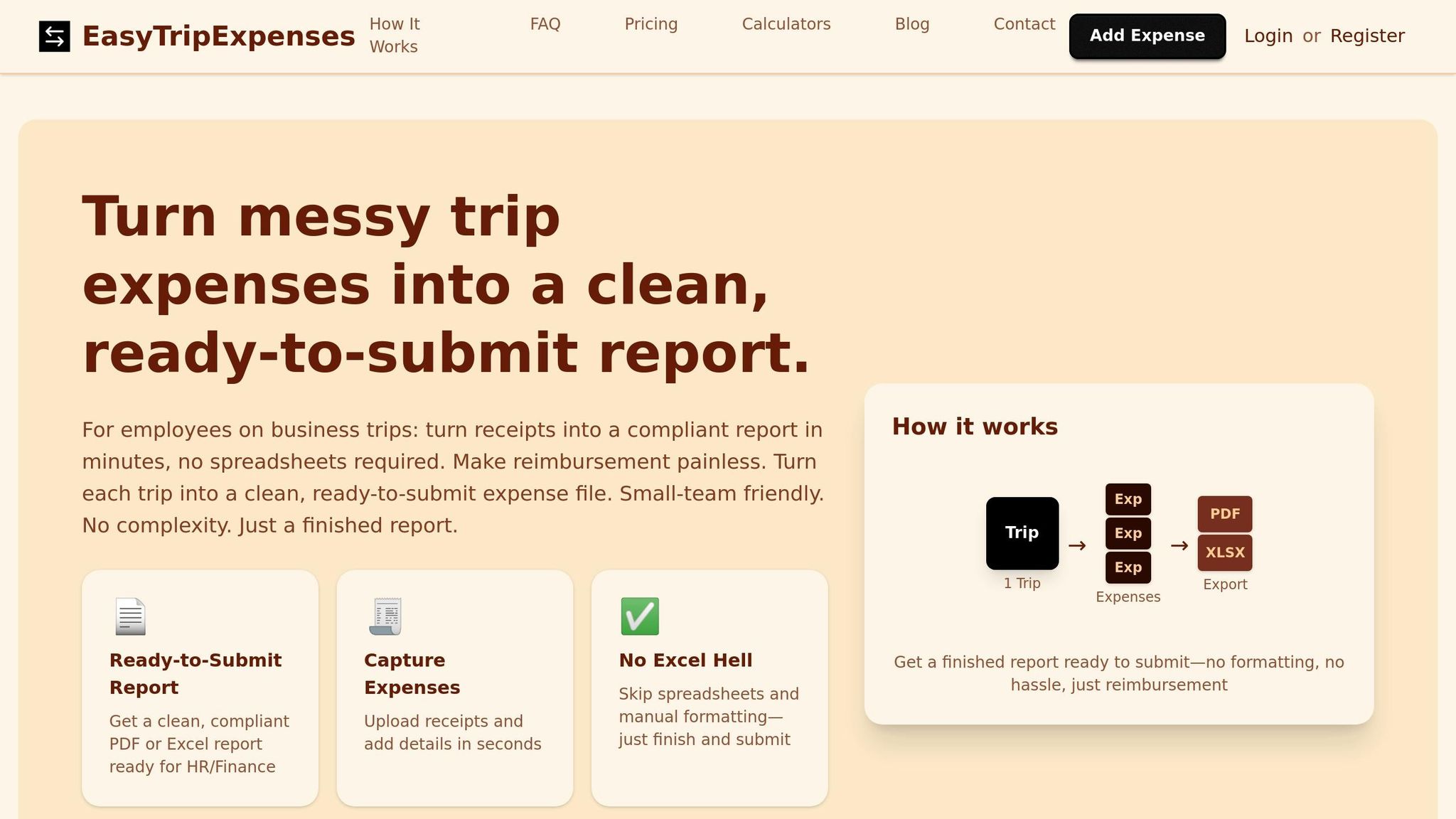
EasyTripExpenses eliminates the hassle of manual bookkeeping by offering an efficient, error-free way to track expenses. For small businesses, simplicity is key when it comes to managing business trip costs, and this platform delivers just that.
Designed with small teams, startups, and agencies in mind, EasyTripExpenses makes tracking expenses straightforward. There’s no need for a lengthy setup process or an IT team - you can start logging expenses the same day you sign up.
What sets EasyTripExpenses apart is how it simplifies the entire expense reporting process. From uploading receipts to generating professional reports, every step is optimized to save time and reduce errors.
Features and Benefits of EasyTripExpenses
EasyTripExpenses is packed with features that make expense tracking and reporting easier than ever. Here’s how it works:
- Quick Receipt Uploads: Upload receipts as images or PDFs directly to the platform. Whether it’s a photo of a restaurant receipt or a scanned hotel bill, the system accepts a variety of formats without restrictions on file type or size.
- Custom Expense Categorization: Assign expenses to categories like meals, lodging, transportation, or entertainment. You can also add detailed comments to each entry, which can be helpful during audits or when additional context is needed.
- Automatic Currency Conversion: Expenses in foreign currencies are automatically converted to USD, with both the original and converted amounts displayed for clarity.
- Professional Reports: Generate polished PDF reports for formal submissions or Excel files for data manipulation and integration with other financial tools. These reports include all the necessary details, such as itemized expenses, dates, categories, totals, and attached receipts.
- Trip History Retention: Easily access records from previous quarters or years, making audits and financial reviews a breeze.
Whether you’re a solo consultant or part of a small agency, EasyTripExpenses adapts to your needs effortlessly.
Pricing Plans for Small Teams
EasyTripExpenses offers three pricing options to suit different budgets and usage levels. The pricing is simple and transparent - no hidden fees, no per-user charges, and no surprises.
Starter Plan (Free):
- 5 uploads per trip
- 1 active trip at a time
- Manual expense entry, currency conversion, and PDF/Excel reports
- 1-year trip history retention
Pro Monthly Plan ($9.00/month):
- 20 uploads per trip
- 3-year trip history retention
- Option to request new features
- Ideal for businesses with seasonal travel needs
Pro Yearly Plan ($60.00/year or $5.00/month):
- Saves 45% compared to the monthly plan
- 50 uploads per trip
- 5-year trip history retention
- Meets IRS recordkeeping standards
All paid plans will soon include advanced features like autocomplete for expense entries and OCR (optical character recognition) to minimize manual input.
The pricing structure is based on usage rather than team size, ensuring costs remain predictable whether you’re a solo entrepreneur or part of a growing team.
Easy to Use and Grows with Your Business
One of the standout benefits of EasyTripExpenses is how simple it is to get started. The platform runs directly in your web browser - no downloads, installations, or training required. Whether you’re working from your office or on the go with a tablet at the airport, it’s accessible anywhere.
The interface is intuitive, focusing on essential functions without overwhelming users with unnecessary features. Upload your receipts, categorize expenses, add notes, and generate reports - it’s that straightforward.
As your business grows, EasyTripExpenses grows with you. Start with the free plan for occasional trips, upgrade to the Pro Monthly plan as your travel increases, and transition to the Pro Yearly plan when business trips become a regular part of your operations. Switching between plans is seamless, and all your data transfers automatically.
The platform also evolves based on user feedback. Features like upcoming OCR technology will make expense tracking even easier by extracting data directly from receipts. These updates are included without additional charges or complicated upgrades.
With its combination of ease of use and flexibility, EasyTripExpenses is a reliable tool for managing expenses, whether you’re handling a handful of trips or dozens each year.
Best Practices for Managing Business Trip Expenses
Managing business trip expenses effectively isn't just about using the right tools - it's about establishing clear processes and consistent habits. By following a few practical strategies, small businesses can keep costs in check, maintain accurate records, and avoid common pitfalls. Here’s how you can create a system that works for your team.
Setting Clear Expense Policies
A well-crafted expense policy eliminates confusion and sets expectations for employees. It ensures consistent reporting, smooth reimbursements, and compliance with company standards.
Start by defining per diem rates for meals and incidentals. For instance, you might set a $50 daily limit for meals during domestic travel and $75 for international trips. These limits should reflect reasonable costs while discouraging overspending. The IRS provides standard per diem rates for various U.S. cities, which can serve as a helpful reference.
Outline which expenses require pre-approval. Larger costs, such as conference fees or rental cars, should typically need managerial approval before the trip. Smaller, day-to-day expenses like taxi fares or coffee meetings can be approved afterward. Striking this balance helps control spending without creating unnecessary delays.
Clarify receipt requirements in your policy. Emphasize the importance of submitting receipts for accurate reporting. For smaller expenses under $25 where receipts may not be available, allow employees to provide detailed explanations instead.
Include guidelines for booking travel to avoid misunderstandings. For example, specify whether employees should choose the cheapest flight or if they can prioritize convenience. Address upgrades for long flights, such as allowing premium economy for flights over six hours. These details ensure everyone operates under the same rules.
Finally, make the policy easily accessible. Store it in a shared location where employees can find it anytime, and update it annually or whenever your travel needs change significantly.
Using Technology to Automate Tasks
Relying on manual tracking is time-consuming and prone to mistakes. Automating expense management not only saves time but also reduces errors.
Platforms like EasyTripExpenses handle repetitive tasks for you. For instance, when you upload a receipt, the system securely stores it and links it to the corresponding expense entry. You no longer need to deal with paper receipts or worry about losing them before submission.
Automation also simplifies expense categorization and currency conversion. By using consistent labels - such as transportation, lodging, meals, and entertainment - you can align your reports with your accounting system, making tax preparation and bookkeeping more efficient.
EasyTripExpenses is even introducing an OCR feature that can extract data directly from receipt images, further reducing the need for manual input. For businesses with multiple employees traveling, this kind of technology ensures everyone follows the same system, making it easier for managers to review and for accountants to process.
Regularly reviewing automated reports ensures that any issues are identified and addressed promptly, keeping your expense management system running smoothly.
Reviewing and Reconciling Reports Regularly
Delays in reviewing expense reports can lead to errors and missing records. Regular reviews are essential for maintaining financial accuracy and catching problems early.
Set up monthly reviews where managers go through submitted expense reports. Confirm that all expenses align with company policies, receipts are attached, and business purposes are clearly documented. This routine helps prevent small issues from snowballing into larger problems during audits.
Make it a habit to reconcile expenses with credit card statements. Match each expense entry to its corresponding charge on company cards to ensure nothing is missed or duplicated. Address discrepancies immediately while the details are still fresh.
Look for patterns in spending that might highlight potential issues or cost-saving opportunities. For example, if one employee frequently exceeds meal allowances, have a conversation about expectations. If you notice high airport parking fees across the board, consider suggesting ride-sharing services as a more economical alternative.
The trip history feature in EasyTripExpenses can provide valuable insights by comparing expenses across trips and time periods. This data helps you spot trends, budget more accurately for future travel, and refine your travel policies.
Regular reviews also show employees that expense management is taken seriously. When employees know their reports will be promptly reviewed, they’re more likely to follow policies and document expenses carefully. This accountability fosters trust and ensures fair treatment across the team.
Every quarter, take time to evaluate your overall expense management process. Are reports being submitted on time? Are there recurring issues in your policy that need addressing? Is your current plan with EasyTripExpenses meeting your needs, or is it time to explore an upgrade? These periodic check-ins ensure your system stays effective as your business grows and evolves. With the right practices and tools, managing business trip expenses becomes a streamlined, stress-free process.
Conclusion
Handling business trip expenses doesn’t have to be a hassle. By combining clear expense policies, reliable tools, and consistent practices, small businesses can turn a once time-consuming task into a smooth, automated process.
The trick lies in choosing a solution that aligns with your needs. EasyTripExpenses was created with small teams in mind, offering professional-grade results without unnecessary complexity. Whether it’s a handful of receipts from a quick client visit or a pile of expenses from multiple trips, the platform adjusts to your workflow effortlessly.
This personalized approach doesn’t just streamline expense tracking - it also allows your team to focus on what truly matters. By automating receipt storage, simplifying expense categorization, and generating detailed reports in seconds, you save hours that can be better spent on growing your business. Instead of drowning in spreadsheets and receipt piles, your team can shift their energy toward serving clients, innovating products, or exploring new opportunities.
The financial perks are just as compelling. Precise expense tracking ensures you capture every deductible expense when tax season rolls around, potentially saving your business hundreds - or even thousands - of dollars each year. Plus, regular reconciliations and clear guidelines help prevent overspending and costly mistakes.
Getting started is a breeze, too. EasyTripExpenses offers a free Starter plan, with flexible Pro options available for growing teams. The straightforward onboarding process ensures you can hit the ground running without unnecessary delays.
As highlighted throughout this guide, efficient expense tracking plays a crucial role in sustainable growth. Small businesses thrive when they work smarter, not harder - and expense tracking is one area where the right tool can make an immediate impact. With EasyTripExpenses taking care of the administrative load, you can rest easy knowing your records are accurate, secure, and ready whenever you need them - whether for reimbursements, tax filings, or audits. This gives you the freedom to channel your efforts into driving your business forward.
FAQs
How do automated expense tracking tools help small businesses stay compliant and save time?
Automated expense tracking tools play a crucial role in helping small businesses maintain compliance. They apply company policies to transactions instantly, flagging potential issues as they arise. This not only cuts down on errors but also ensures that expenses meet both internal guidelines and tax requirements.
Beyond compliance, these tools are a huge time-saver. They handle repetitive tasks like data entry, categorizing expenses, and creating reports - all automatically. By simplifying these processes, reimbursements happen faster, and administrative burdens are significantly lightened. This gives business owners more time to focus on growing their business and boosting productivity.
What key features should I look for in an expense tracking solution for my small business?
When choosing an expense tracking tool for your small business, prioritize features that make the process easier and save you time. Start with ease of use - an intuitive tool that doesn't demand hours of training is key. Also, consider mobile accessibility so you and your team can log expenses anytime, anywhere.
Other must-have features include integration with accounting software, which simplifies financial reporting, and automated receipt capture to cut down on manual entry. These tools not only improve accuracy but also reduce tedious tasks, keeping expense management smooth and hassle-free.
How does EasyTripExpenses manage currency conversion and keep my data secure?
EasyTripExpenses takes the hassle out of foreign currency conversion by automatically applying the latest exchange rates to your business expenses. This ensures your records are always accurate and eliminates the need for manual calculations when dealing with international transactions.
When it comes to security, EasyTripExpenses prioritizes your data. With state-of-the-art encryption technology and rigorous security measures in place, your sensitive information remains protected. You can focus on managing your business expenses confidently, knowing your data is in safe hands.