
Mobile vs Desktop Expense Apps Compared
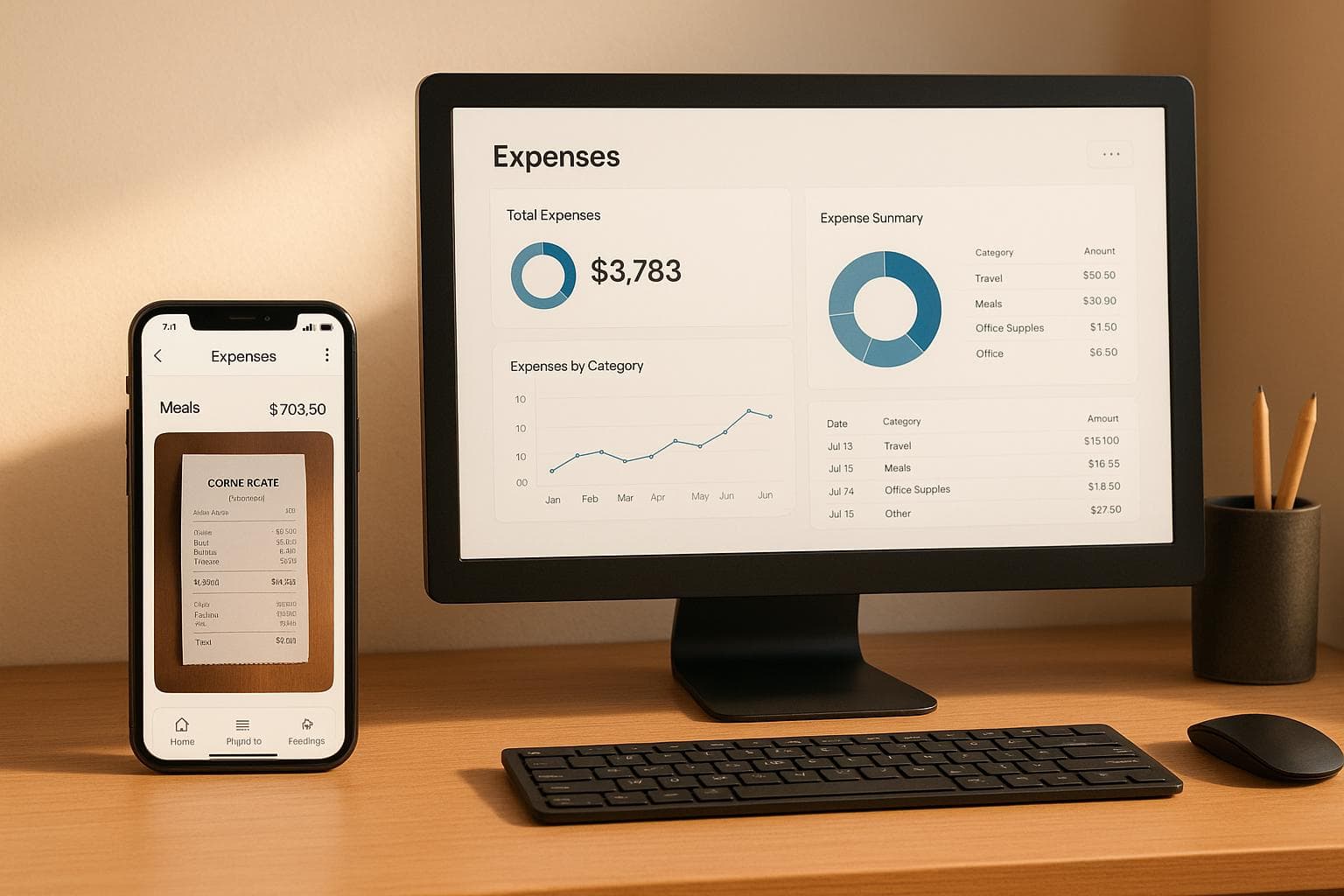
Mobile and desktop expense apps are not interchangeable; they serve different purposes but work best together. Mobile apps are ideal for logging expenses in real time, like snapping a photo of a receipt or tracking mileage. Desktop apps, on the other hand, are better for reviewing, organizing, and generating detailed reports. Combining both platforms ensures a smoother workflow for business travelers and finance teams.
Key Highlights:
- Mobile Apps: Quick expense entry, receipt uploads, and offline functionality for on-the-go use.
- Desktop Apps: Larger screens for detailed reviews, bulk edits, and advanced reporting tools.
- Best Workflow: Use mobile apps during trips and desktop platforms for post-trip reconciliation.
Quick Comparison:
| Feature | Mobile Apps | Desktop Apps |
|---|---|---|
| Best Use | Logging expenses during travel | Reviewing and finalizing reports |
| Key Advantage | Instant receipt uploads | Bulk edits and detailed analysis |
| Primary User | Business travelers | Finance teams |
| Offline Functionality | Available | Not typically available |
| Reporting | Basic summaries | Advanced, exportable reports |
EasyTripExpenses combines the strengths of both platforms, offering automatic syncing and flexibility for U.S.-based teams. Travelers can log expenses on mobile, while finance staff manage approvals and reporting on desktop. This dual-platform approach simplifies expense management for individuals, small teams, and finance departments alike.
Main Differences Between Mobile and Desktop Expense Apps
Mobile and desktop expense apps serve distinct purposes in the expense management process. Mobile apps are tailored for capturing expenses on the go, while desktop apps focus on detailed post-trip reviews. These aren’t just alternate versions of the same tool - they’re designed to excel at different stages of the workflow. For instance, a business traveler rushing through meetings needs speed and simplicity, whereas a finance manager reviewing reports requires a robust workspace with advanced tools. This division of roles is a key strength of EasyTripExpenses, which seamlessly integrates both platforms to meet these specific needs.
Mobile Expense Apps: Designed for On-the-Go Use
Mobile expense apps prioritize speed and convenience. They’re built to ensure that expenses are recorded immediately, eliminating the risk of losing receipts or forgetting details. For example, with just a quick photo, a receipt can be categorized and stored on the spot.
A standout feature of mobile apps is the camera functionality. Travelers can snap a photo of a receipt and log it instantly, saving time and effort. Many mobile apps also work offline, which is a lifesaver in areas with poor connectivity - like rural highways or conference venues with weak signals. In these cases, the data is saved locally and syncs automatically when an internet connection becomes available.
Mobile interfaces are streamlined for quick entry, with large buttons and minimal fields. This design reflects the reality of multitasking users who are often pressed for time. Features like GPS integration add another layer of convenience, automatically tagging expenses with location data. For instance, a meal expense can be verified as occurring in the city of a business meeting, or mileage claims can be cross-checked against actual routes. For U.S. business travelers navigating multiple cities or states in a single trip, this feature enhances accuracy and accountability. EasyTripExpenses leverages these mobile capabilities to make real-time expense tracking effortless.
While mobile apps are geared toward capturing expenses in the moment, desktop apps excel in the next phase: reviewing and refining the data.
Desktop Expense Apps: Built for Comprehensive Review
Desktop apps come into their own when it’s time to analyze, edit, and finalize expenses. The larger screen size makes it easier to view multiple entries side by side, spot discrepancies, and make corrections that might be missed on a smaller mobile screen.
These apps also offer powerful tools for bulk editing, such as keyboard shortcuts and drag-and-drop functionality. For example, a finance administrator can efficiently recategorize several expenses or adjust currency conversions for multi-city trips - tasks that would be tedious on a mobile device.
Report generation is another area where desktop apps excel. They allow users to create detailed expense reports with itemized breakdowns, proper formatting, and supporting documentation. Reports can be exported in formats like PDF, Excel, or CSV, adhering to U.S. standards: dates in MM/DD/YYYY format, currency displayed with appropriate decimal placement (e.g., $1,234.56), and categorization aligned with IRS guidelines for business deductions.
For finance teams, desktop platforms provide additional tools for workflow management. They enable users to review submitted expenses, add notes for approvals or rejections, and track spending trends across departments. For instance, a finance manager might use a dashboard to analyze total travel expenses for the quarter, filter by employee or category, and identify areas where costs are rising - such as hotel stays in specific regions. EasyTripExpenses supports these capabilities, ensuring thorough and efficient post-trip reconciliation.
Shared Features of Mobile and Desktop Platforms
Despite their distinct roles, mobile and desktop expense apps share common goals: automating expense tracking, organizing spending data, and generating accurate reports. Both platforms ensure consistent categorization of costs like meals, lodging, and transportation, with formatting that aligns with U.S. standards for currency, dates, and mileage calculations.
Another key feature is automatic synchronization. An expense logged on a mobile app during a morning flight will appear almost instantly on the desktop platform when the finance team accesses it. This seamless data flow ensures that everyone is working with the latest information, maintaining accuracy and continuity throughout the expense management process.
Mobile Expense Apps for Business Travelers
For business travelers, managing expenses can feel like juggling while running through an airport. Between flights, meetings, and packed schedules, keeping track of receipts and costs can quickly become overwhelming. Mobile expense apps simplify this process by logging expenses in real time, ensuring no receipt is misplaced and every transaction is accounted for.
Picture this: a sales rep starts the day with a rideshare to the airport, grabs breakfast during a layover, treats a client to dinner, and wraps up with another rideshare back to the hotel. Manually tracking all these expenses is not only time-consuming but prone to errors. With an expense app, each transaction is captured immediately - complete with a digital receipt and automatic categorization to keep everything organized.
Real-Time Expense Tracking
Imagine finishing a business lunch, snapping a quick photo of the receipt, and letting the app do the rest. It securely stores the image and categorizes the expense into preset groups like Meals & Entertainment, Lodging, Transportation, or Miscellaneous. At the end of the day, push notifications remind users to log any forgotten transactions, and offline capabilities ensure expenses are recorded even in areas with poor connectivity.
Common US Business Travel Scenarios
For business travelers in the US, certain expense patterns are almost a given. Airfare booked ahead of time generates an email receipt, which can be uploaded directly. Hotel stays produce itemized bills that are easily photographed at checkout. Rideshare services often email receipts automatically, but users can also manually enter fares if needed.
Meals are one of the most frequent expense categories. After dining out, travelers can snap a photo of the receipt, assign it to the "Meals & Entertainment" category, and add a quick note about the meal’s purpose. This step is crucial for meeting IRS requirements, as business meal deductions require documentation of their purpose.
For those using personal vehicles for work, apps with GPS integration can calculate mileage expenses automatically, applying current IRS guidelines.
When traveling abroad, currency conversion becomes a key feature. Mobile apps handle this by converting foreign expenses into US dollars using up-to-the-minute exchange rates, ensuring accurate reporting. Additionally, for those following GSA per diem allowances, apps can compare actual expenses against these benchmarks, helping travelers stay on budget while maintaining proper documentation.
How EasyTripExpenses Works on Mobile
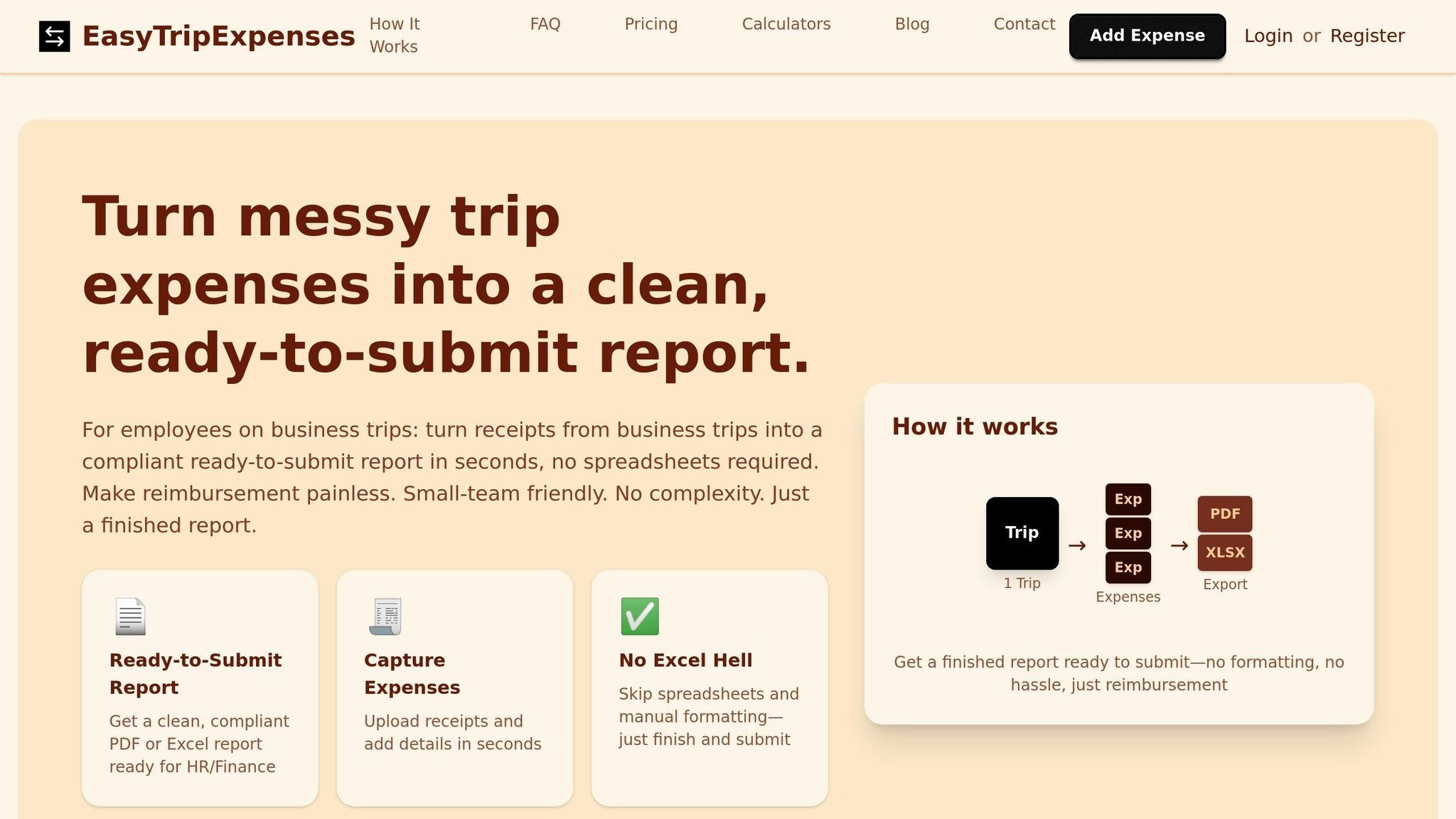
EasyTripExpenses takes these features and makes them even simpler for business travelers. Its user-friendly mobile interface focuses on speed and ease, allowing users to capture expenses without navigating through endless menus.
Receipt capture is straightforward. Travelers can snap photos of receipts using their phone’s camera or upload PDFs, whether it’s a digital invoice from a hotel or a scanned restaurant bill.
Expense categorization is just as simple. Users choose from standard business categories and input amounts in US dollars, formatted correctly (e.g., $1,234.56). Dates follow the familiar MM/DD/YYYY format, and there’s plenty of space to add notes about the business purpose of each expense - helpful for audits or financial reviews.
Trip organization is another standout feature. Business travelers often handle multiple trips at once, such as a conference in one city followed by a client meeting in another. EasyTripExpenses lets users create separate trips for each journey, making it easy to allocate costs to specific projects or budgets.
For international expenses, the app’s currency conversion tool is invaluable. Users can input expenses in any supported foreign currency, and EasyTripExpenses converts them into US dollars for consistent reporting.
The app also supports team collaboration. For instance, if several employees from a startup attend a trade show, each can log their expenses independently. A finance manager can then review and reconcile everything later from the desktop platform. This division of tasks - mobile capture on the go and desktop review in the office - creates a seamless workflow.
Finally, EasyTripExpenses keeps a detailed trip history for future reference. The Starter plan retains trip data for one year, with up to five uploads per trip and one active trip at a time. Pro plans extend this to three or five years of retention, allowing up to 20 or 50 uploads per trip. The Pro plan, priced at $60 annually (just $5 per month), offers a cost-effective option for frequent travelers looking to stay organized and compliant.
Desktop Expense Apps for Trip Reconciliation
When business trips conclude and employees return to the office, finance teams dive into the nitty-gritty of expense reports. While mobile apps are fantastic for logging expenses on the go, desktop platforms shine when it’s time for a meticulous post-trip review.
Managing multiple trip reports is no small feat. Finance teams need more than just snapshots of receipts - they cross-check expenses against budgets, ensure compliance with regulations, verify details, and catch duplicate entries. Desktop apps provide the larger screens, processing power, and detailed views that make these tasks manageable. These features set the stage for the in-depth reporting and collaboration tools discussed below.
Detailed Reporting and Export Formats
Desktop platforms take raw expense data and transform it into polished, audit-ready reports. With export options like PDF for formal submissions or Excel for deeper analysis, these tools make reporting a breeze. Finance managers can generate summaries that break down costs by category, date, or project, all neatly formatted in US dollars (e.g., $1,234.56).
For US businesses, staying compliant with regulations is non-negotiable. Desktop apps simplify the process by enabling detailed reviews of entries, ensuring documentation is clear and properly categorized. The larger screen space allows finance staff to compare receipts side by side, making it easier to spot discrepancies that might go unnoticed on smaller devices.
Customizable export features also allow finance teams to manipulate data further - whether that’s creating pivot tables or syncing expenses with popular accounting software.
Workflow Benefits for Admins and Small Teams
Desktop apps take the hassle out of managing team expenses, especially for startups and small teams. Combining mobile expense capture with desktop review creates a smooth workflow.
Bulk editing tools are a game-changer when company policies shift. For example, if an expense category needs updating - say, a change in travel allowances - finance staff can apply changes to multiple entries at once instead of manually editing each one. Adding comments or annotations directly to entries also builds a clear audit trail, eliminating the need for endless email threads.
For teams without dedicated accounting departments, desktop apps bring structure to expense management. A consistent process - logging expenses on mobile during trips and finalizing reports on desktop - keeps reviews and approvals efficient, all from a single dashboard.
How EasyTripExpenses Works on Desktop
EasyTripExpenses complements its mobile app with a powerful desktop platform that simplifies data validation and review. No IT setup or software installation is required - just log in via any browser and get started.
Finance teams can drag and drop receipt images or PDFs, review each for clarity, and add them to trip reports with ease. Adjusting expense categories is straightforward, even for multiple entries at once. All amounts are displayed in US dollars (e.g., $1,234.56), and dates follow the familiar MM/DD/YYYY format.
The platform produces clean, professional PDF reports for management review and Excel exports that integrate seamlessly with US accounting software. These reports include essential details like dates, amounts, categories, and even attached receipt images.
EasyTripExpenses also excels at handling multiple projects. For example, a consulting firm managing expenses across various client engagements can keep each trip separate, ensuring costs are allocated correctly. Past reports remain accessible for varying durations: one year on the free Starter plan, three years on the monthly Pro plan, and five years on the annual Pro plan.
For international trips, built-in currency conversion automatically standardizes expenses into US dollars, saving finance teams from manual calculations. This feature ensures consistent reporting for trips that involve multiple currencies.
Collaboration is another strong point. Multiple users can access the same trip reports simultaneously, allowing finance managers to review submissions while travelers add last-minute receipts. This real-time syncing between mobile and desktop ensures a seamless workflow for expense reconciliation.
Data security is a priority with EasyTripExpenses. By storing all information securely in the cloud, the platform eliminates worries about lost files or version control issues. Finance teams can access reports from anywhere - whether at the office, at home, or on a client site.
Despite its simplicity, EasyTripExpenses doesn’t skimp on functionality. Finance teams get the detailed views and export options they need for thorough reviews, while travelers benefit from a user-friendly mobile interface for quick expense capture. By bridging on-the-go tracking with desktop-based review, the platform optimizes the entire expense management process. This makes it an ideal choice for small teams and startups looking for a professional solution without the complexity of larger systems.
sbb-itb-386cb5b
Mobile vs Desktop: Direct Comparison
For U.S. business travelers, deciding between mobile and desktop expense apps isn’t an either-or situation. Each platform shines in specific areas of the expense management process. Mobile apps are perfect for quick, on-the-go tasks like snapping a receipt while moving between meetings in Chicago and Dallas. Meanwhile, desktop apps are better suited for in-depth tasks, like reviewing and exporting detailed financial reports. By understanding the strengths of each platform, teams can create workflows that make expense management smoother and more efficient.
Comparison Table: Mobile vs Desktop
| Feature | Mobile Apps | Desktop Apps |
|---|---|---|
| Best Used For | Real-time expense capture during trips | Post-trip review, reconciliation, reporting |
| Primary Advantage | Instant receipt photos, GPS tagging | Large screen, bulk edits, detailed analysis |
| Typical User | Traveling employees, field staff | Finance teams, managers, accountants |
| Receipt Capture | Camera-based, instant uploads | Drag-and-drop files, batch uploads |
| Data Entry Speed | Quick but limited by screen size | Slower per entry, faster for bulk tasks |
| Reporting Capabilities | Basic summaries, quick views | Comprehensive reports, custom exports |
| Editing Efficiency | One expense at a time | Bulk edits across entries |
| Collaboration | Adding entries only | Full review, approval workflows |
| Offline Functionality | Basic logging available | Internet connection typically required |
| Screen Real Estate | 5–7 inches (smartphone) | 13–27 inches (monitor) |
| Ideal for US Teams | Employees on business trips | Finance staff managing company expenses |
This table highlights how mobile and desktop platforms complement each other. Mobile apps handle the immediate needs of employees on the go, while desktop platforms offer the tools finance teams need to finalize reports and ensure compliance.
For instance, mobile apps work well for straightforward expenses like meals, transportation, or lodging. Desktop platforms, however, excel at complex tasks, such as splitting a hotel bill across multiple projects or reconciling expenses against departmental budgets.
Currency and Reconciliation for US Teams
Currency formatting is another area where desktop platforms stand out. For U.S.-based teams dealing with international trips, desktops provide a clear breakdown of the original currency, applied exchange rate, and final amount in U.S. dollars. This level of detail is critical for accurate reconciliation and reporting.
Combining Mobile and Desktop for US-Based Teams
EasyTripExpenses' dual-platform approach simplifies expense management by combining the strengths of mobile and desktop. Here’s how it works: employees use the mobile app to capture expenses on the go - photographing receipts, adding quick notes, and categorizing transactions. Once back at their desks, finance teams switch to the desktop platform for detailed verification, approvals, and report generation.
This workflow eliminates common headaches. Employees don’t need to keep track of paper receipts or remember details weeks later. At the same time, finance teams save hours by avoiding manual follow-ups for missing documentation. With automatic syncing between mobile and desktop, everything flows seamlessly from capture to approval.
For example, a consultant can log an expense on their phone, and it will instantly appear on the desktop dashboard for review. If the finance team is finalizing a report while the consultant adds a last-minute taxi expense, the new entry syncs instantly - no version conflicts, no duplicates.
Even small teams benefit from this flexibility. A three-person consulting firm, for instance, might have the founder reviewing expenses on desktop while team members submit receipts from client sites via mobile. Everyone works with the same up-to-date data, without needing IT support or complex software setups.
Retention periods further enhance this system. Teams can access trip histories for one year on the Starter plan, three years on the monthly Pro plan, and five years on the annual Pro plan. Whether reviewing a past trip on mobile or analyzing trends on desktop, the information is always accessible.
Security is consistent across platforms. All data - receipt images, expense entries, and reports - is encrypted in the cloud. A finance manager can start reviewing expenses on an office desktop, continue on a laptop at home, and finish on mobile, all within the same secure environment.
Choosing the Right Setup for Business Trip Expense Management
When managing business travel expenses, your setup should depend on how often you travel, the volume of expenses, and your need for access across devices. By leveraging both mobile and desktop platforms, you can create a system that plays to the strengths of each.
Recommendations by User Type
Different types of users benefit from specific setups. Here’s how to choose the right one for your needs:
Solo travelers and freelancers often find a mobile-first approach ideal. If you’re managing expenses for just one client or employer, a mobile app lets you snap photos of receipts on the go and add quick notes about business purposes. Desktop access, on the other hand, is helpful when you need to prepare formal reports or review past trips. For this group, the EasyTripExpenses Starter plan is a great fit. It offers up to five uploads per trip, retains data for a year, and is completely free.
Small teams and startups require both mobile and desktop functionality. For teams of three to ten, where one person handles the bookkeeping, mobile apps are perfect for logging expenses in real-time, while the desktop platform provides tools for reviewing and exporting reports. For example, a marketing agency with account managers traveling across the U.S. can use mobile capture for quick logging and desktop access for monthly reconciliations. The Pro plan, with 20 uploads per trip (monthly) or 50 uploads per trip (annual), is ideal for managing higher expense volumes and offers three to five years of data retention.
Finance teams and administrators typically rely on desktop platforms for processing multiple employees’ expenses, ensuring compliance, and generating detailed reports. While mobile access is still handy for quick checks, the desktop platform handles the bulk of the work. For these teams, the annual Pro plan provides the highest upload capacity and longest retention periods, making it a practical choice.
Evaluating Features That Matter
When deciding on an expense management tool, focus on features that directly enhance your workflow.
- Mobile usability is key for frequent travelers. A user-friendly app that makes it easy to snap photos of receipts and log expenses quickly can save you a lot of time. EasyTripExpenses delivers these functions without requiring technical expertise.
- Reporting capabilities are vital for submitting expenses to employers, clients, or tax authorities. PDF reports work for most needs, while Excel exports are useful for teams that need to analyze data further or integrate it into accounting systems. The platform also includes automatic currency conversion, ensuring international expenses are accurately documented in U.S. dollars.
- Data retention is critical for compliance and tax purposes. While the IRS requires records to be kept for at least three years, some situations may demand longer retention. EasyTripExpenses offers retention periods tailored to your plan: one year for the Starter plan, three years for the monthly Pro plan, and five years for the annual Pro plan.
- Upload limits determine how many receipts you can attach per trip. The Starter plan’s five-upload limit is suitable for short trips with minimal expenses, while the Pro plans’ higher limits (20 or 50 uploads) are better for longer or more complex trips.
- Security is essential since expense data often includes sensitive information. EasyTripExpenses encrypts all data, whether accessed via mobile or desktop, ensuring your information remains protected.
These features make EasyTripExpenses a practical solution for a variety of users.
EasyTripExpenses as a Flexible Solution
EasyTripExpenses seamlessly integrates mobile and desktop platforms, letting you use the same account on your phone while traveling and on your computer back at the office. Expenses sync automatically, so there’s no need for manual file transfers or worries about version mismatches.
The Starter plan is perfect for individuals or occasional travelers. It’s free, doesn’t require a credit card, and supports basic expense tracking indefinitely. With a five-upload limit and one active trip restriction, it’s ideal for quarterly business trips or freelance projects with minimal expenses. Core features like manual expense entry, currency conversion, and PDF/Excel reporting cover essential needs without overwhelming new users.
For seasonal travelers or teams testing the platform, the monthly Pro plan at $9 per month offers a more robust solution. It supports moderate expense volumes with a 20-upload limit and three-year data retention. Plus, upcoming features like OCR-based expense autocomplete will make data entry even easier.
The annual Pro plan, priced at $60 per year (or $5 per month when billed annually), offers excellent value for frequent travelers and small teams. With 50 uploads per trip and five-year retention, it’s designed for more complex needs. A consulting firm, for instance, could save up to 45% by choosing the annual plan.
The platform requires no IT setup, software installation, or specialized training. Simply create an account, log your expenses, and generate reports. For example, a solo consultant might start with the Starter plan, upgrade to the monthly Pro plan during busier periods, and eventually switch to the annual Pro plan as their needs grow. Similarly, a small team could use mobile access for field staff while the office manager relies on the desktop version, all working from the same synchronized data.
EasyTripExpenses is adaptable to various industries and scenarios. Whether you’re a sales team tracking client visits, a consultant managing project expenses, or an agency handling employee reimbursements, the platform offers straightforward functionality without unnecessary complexity.
For U.S.-based teams, it addresses a wide range of business travel needs. Whether it’s domestic trips with simple expenses, international travel requiring currency conversion, or a mix of personal and corporate card use, EasyTripExpenses keeps everything organized. Its PDF and Excel exports integrate seamlessly with popular accounting software, making expense management efficient and reliable.
Conclusion
Mobile apps make it easy to log expenses on the go, while desktop platforms shine when it comes to reviewing, reporting, and exporting data. Rather than replacing one another, these tools work together to create a complete expense management system, each handling a unique part of the process.
For business travelers and teams in the U.S., a unified platform that syncs data automatically between mobile and desktop devices eliminates unnecessary steps. This allows you to focus your energy on the tasks that matter most, instead of juggling multiple tools or re-entering data.
Bringing these two functions together is key to managing expenses efficiently. With EasyTripExpenses, you can record expenses on your phone while traveling and wrap up detailed reports on your desktop - all thanks to automatic synchronization that adjusts to your workflow.
FAQs
How can mobile and desktop expense apps work together to simplify business travel expense management?
Managing business travel expenses becomes much easier when mobile and desktop expense apps work together. Mobile apps shine when it comes to capturing expenses on the go - whether it's snapping a quick photo of a receipt or logging mileage while traveling. They're perfect for keeping up with real-time expenses without missing a beat.
On the other hand, desktop apps offer a broader perspective. They allow you to dive deeper into spending patterns, create detailed reports, and manage budgets with greater accuracy. The combination of these two platforms gives you the best of both worlds: the convenience of mobile tracking and the advanced capabilities of desktop tools. Together, they streamline expense management and help you stay on top of your financial goals.
What makes EasyTripExpenses a great choice for U.S.-based business travelers and finance teams?
EasyTripExpenses provides a hassle-free way for U.S.-based business travelers and finance teams to manage expenses effectively. Its mobile-friendly design lets users log expenses on the go, ensuring no receipts or costs slip through the cracks during trips. Plus, with U.S. dollar ($) currency formatting, tracking and reviewing expenses in real-time is straightforward and convenient.
For finance teams, the platform offers detailed reporting tools that simplify the processes of expense approvals and reimbursements, all while aligning with common U.S. accounting standards. Whether you're traveling solo or managing a large team, EasyTripExpenses takes the headache out of expense tracking, saving time and cutting down on administrative tasks.
How does syncing between mobile and desktop apps improve expense management?
Syncing between mobile and desktop apps makes managing expenses much easier by ensuring your data stays updated across all your devices. This way, you always have an up-to-the-minute view of your expenses, whether you're traveling or working at your desk.
With automatic synchronization, you can:
- Record expenses on your phone while traveling and review or organize them later on your desktop.
- Eliminate duplicate entries or missing details since updates are instantly shared across devices.
This smooth integration saves time, minimizes mistakes, and streamlines the process of tracking and reporting expenses.